No products in the cart.
CNC Axis Skipping Issues: Causes and Solutions for Industrial CNC Routers
Contents
- What is CNC Axis Skipping?
- Common Causes of CNC Axis Skipping
- 1. Motor-Related Problems
- 2. Mechanical Issues
- 3. Electrical and Control System Problems
- 4. Workpiece and Tooling Related Factors
- Troubleshooting and Solutions for CNC Axis Skipping
- 1. Mechanical Inspection and Maintenance
- 2. Electrical System Checks
- 3. Motor and Drive Tuning
- 4. Optimize Cutting Parameters and Tooling
- Preventive Maintenance for Industrial CNC Routers
- Conclusion
- FAQ
In the demanding environment of industrial manufacturing, CNC router machines are critical for precision and efficiency. However, issues like axis skipping can severely impact production quality and lead to costly downtime. Understanding the root causes and implementing effective solutions is essential for maintaining optimal machine performance. This comprehensive guide delves into the common reasons behind CNC axis skipping and provides practical troubleshooting steps for industrial B2B buyers and operators.
What is CNC Axis Skipping?
CNC axis skipping, also known as lost steps or positional error, occurs when the machine’s axes (X, Y, Z, and sometimes A, B, C) fail to move the commanded distance. This results in inaccuracies in the workpiece, leading to dimensional errors, poor surface finish, and potentially scrapped parts. It’s a critical problem that requires immediate attention to prevent further production losses.
Common Causes of CNC Axis Skipping
Axis skipping can stem from a variety of mechanical, electrical, and software-related issues. Identifying the exact cause is the first step towards an effective solution.
1. Motor-Related Problems
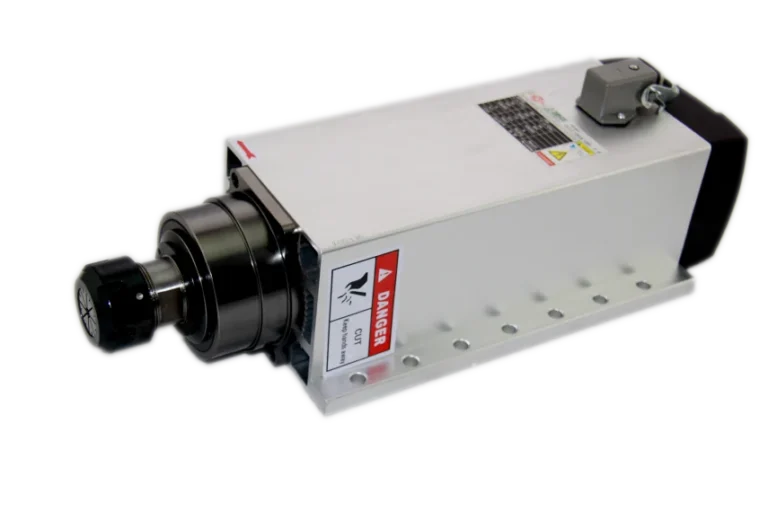
The spindle motor and servo drive systems are the heart of a CNC router’s motion. Any malfunction here can directly lead to axis skipping.
- Insufficient Motor Torque: If the motor lacks the power to overcome the resistance of the axis movement, it will skip steps. This can be due to an undersized motor for the application, or a motor that is nearing the end of its service life.
- Overheating Motors: Excessive heat can degrade motor performance, leading to a loss of torque and subsequent skipping. Proper cooling and ventilation are crucial.
- Faulty Motor Wiring or Connections: Loose or damaged wiring between the motor, servo drive, and motion control system can cause intermittent signal loss, leading to erratic movement or skipping.
- Incorrect Motor Tuning: Servo motors require precise tuning to match the mechanical characteristics of the machine. Improperly tuned servo drives can exhibit oscillations or sluggish responses, resulting in positional errors.
2. Mechanical Issues
The physical components of the CNC router machine play a significant role in smooth axis movement.
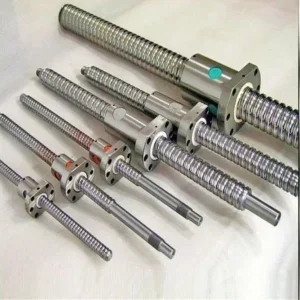
- Excessive Friction: Worn-out linear guide rails, ball screws, or bearings can create excessive friction, requiring more force from the motor than it can provide. This often leads to skipping.
- Loose or Worn Couplings: Couplings connect the motor shaft to the ball screw. If they are loose, worn, or misaligned, the motor’s rotation may not be fully transmitted to the axis, causing lost motion.
- Binding in Linear Motion Components: Misalignment of linear guide rails or ball screws can cause binding, making it difficult for the axis to move freely.
- Overloaded Axis: If the tool or workpiece is too heavy for the axis to move smoothly, especially during rapid acceleration or deceleration, skipping can occur.
- Damaged Ball Screws or Nuts: Pitting, wear, or damage to the ball screw or its nut can introduce play or resistance, affecting positional accuracy.
3. Electrical and Control System Problems
The electronic components and motion control system are vital for precise command execution.
- Insufficient Power Supply: An unstable or inadequate power supply to the servo drive or stepper motor drivers can lead to insufficient current, causing the motors to lose steps.
- Faulty Servo Drive or Stepper Driver: A malfunctioning servo drive or stepper driver may not send the correct current or voltage to the motor, resulting in skipping.
- Noise and Interference: Electrical noise (EMI/RFI) in the control signals can disrupt communication between the motion control system and the motor drivers, leading to erroneous movements. Proper shielding and grounding are essential.
- Encoder Issues: Encoders provide feedback on motor position. A dirty, damaged, or misaligned encoder can send incorrect positional data, causing the control system to misinterpret the axis’s actual location.
- Motion Control Software or Firmware Bugs: While less common, software glitches in the CNC controller’s firmware or CAM software can sometimes lead to incorrect G-code generation or execution, resulting in axis errors.
4. Workpiece and Tooling Related Factors
Sometimes, the problem isn’t with the machine itself, but with the material being processed or the tooling used.
- Excessive Cutting Forces: Using an aggressive feed rate, depth of cut, or a dull tool can generate excessive cutting forces that overwhelm the axis motors, causing them to skip.
- Improper Workpiece Clamping: If the workpiece is not securely clamped to the vacuum table or other fixturing, it can shift during machining, creating unexpected resistance and leading to axis errors.
- Tool Runout or Imbalance: A bent or imbalanced tool can introduce vibrations and uneven cutting forces, potentially causing axis skipping.

Troubleshooting and Solutions for CNC Axis Skipping
Addressing axis skipping requires a systematic approach. Here’s a step-by-step guide to diagnose and resolve the issue:
1. Mechanical Inspection and Maintenance
- Check for Friction: Manually move each axis to feel for any binding or excessive resistance. Lubricate linear guide rails and ball screws regularly according to the manufacturer’s recommendations. Replace worn bearings or linear guide blocks.
- Inspect Couplings: Tighten any loose couplings between motors and ball screws. Replace worn or damaged couplings. Ensure proper alignment.
- Verify Ball Screw Condition: Look for signs of wear, pitting, or damage on the ball screw and nut. Check for backlash and adjust or replace components as needed.
- Check for Overload: Ensure the machine is not being pushed beyond its mechanical limits. Reduce feed rates or depth of cut if necessary.
- Clean and Lubricate: Keep all mechanical components clean and properly lubricated to minimize friction and wear.
2. Electrical System Checks
- Power Supply Verification: Use a multimeter to check the voltage and current output of the power supply to the servo drives or stepper drivers. Ensure it’s stable and within specifications.
- Wiring Integrity: Inspect all motor, encoder, and control wiring for cuts, frays, or loose connections. Securely fasten all connectors.
- Grounding and Shielding: Verify that the machine is properly grounded and that signal cables are adequately shielded to prevent electrical interference.
- Driver/Drive Diagnostics: Many servo drives and stepper drivers have diagnostic LEDs or software interfaces that can indicate errors. Consult the drive’s manual for troubleshooting codes.
- Encoder Functionality: Check encoder connections and ensure they are clean and securely mounted. If possible, use diagnostic tools to verify encoder signal integrity.
3. Motor and Drive Tuning
- Motor Sizing: Ensure the motors are appropriately sized for the machine’s axes and the expected loads.
- Servo Drive Tuning: For servo systems, proper tuning of PID (Proportional-Integral-Derivative) parameters is crucial. This often requires specialized software and expertise. Incorrect tuning can lead to overshoots, oscillations, or sluggish response, all of which can cause skipping.
- Stepper Motor Current Adjustment: For stepper motor systems, ensure the current is set correctly on the stepper drivers. Too low a current can lead to insufficient torque, while too high can cause overheating.
4. Optimize Cutting Parameters and Tooling
- Adjust Feed Rates and Depth of Cut: Reduce feed rates and depth of cut, especially when machining tough materials or using small diameter tools. Gradually increase them until optimal performance is achieved without skipping.
- Use Sharp Tooling: Dull tools require more force to cut, increasing the load on the axes. Regularly inspect and replace or sharpen cutting tools.
- Secure Workpiece: Ensure the workpiece is firmly clamped to the vacuum table or fixture. Any movement of the material during machining can cause unexpected resistance.
- Check for Tool Runout: Verify that tools are properly seated in the collet and that there is no excessive runout.
Preventive Maintenance for Industrial CNC Routers
Regular preventive maintenance is key to minimizing axis skipping and extending the lifespan of your industrial CNC router machine.
- Scheduled Lubrication: Follow the manufacturer’s schedule for lubricating linear guide rails, ball screws, and other moving parts.
- Routine Cleaning: Keep the machine free of dust, chips, and debris, which can interfere with mechanical components and sensors.
- Cable Management: Ensure all cables are properly routed, secured, and protected from damage.
- System Diagnostics: Periodically run diagnostic checks on the motion control system, servo drives, and motors.
- Tooling Inspection: Regularly inspect and maintain cutting tools to ensure they are sharp and balanced.
Conclusion
Axis skipping is a common but resolvable issue in industrial CNC router machines. By systematically diagnosing the potential causes—ranging from motor and mechanical problems to electrical and control system malfunctions—and implementing the appropriate solutions, manufacturers can restore their machines to optimal performance. Regular maintenance and careful attention to cutting parameters are crucial for preventing these issues and ensuring consistent, high-quality production.
For further assistance with your CNC router machine or to explore our range of high-performance industrial CNC solutions, please do not hesitate to request a quote on WhatsApp. Our experts are ready to provide tailored advice and support for your specific industrial needs.
FAQ
What exactly is CNC axis skipping?
CNC axis skipping, also known as lost steps or positional error, occurs when a CNC machine's axis (X, Y, Z) fails to move the exact commanded distance. This results in inaccuracies in the machined part, leading to dimensional errors, poor surface finish, and potential material waste. It's a critical issue that compromises the precision and quality of CNC operations.
What are the main causes of axis skipping in an industrial CNC router?
Common causes include insufficient motor torque, overheating motors, faulty motor wiring, and incorrect motor tuning. Mechanical issues like excessive friction in linear guide rails or ball screws, loose couplings, binding components, and worn-out bearings can also lead to skipping. Additionally, electrical problems such as inadequate power supply, faulty servo drives, electrical noise, and encoder issues can contribute to the problem.
How can I troubleshoot and fix axis skipping on my CNC machine?
To troubleshoot, first perform a mechanical inspection for friction, loose couplings, and ball screw condition. Check the electrical system for stable power supply, intact wiring, proper grounding, and driver diagnostics. For servo systems, ensure proper tuning of the servo drive. Also, optimize cutting parameters by reducing feed rates or depth of cut, using sharp tooling, and ensuring the workpiece is securely clamped.
Can preventive maintenance help avoid CNC axis skipping?
Yes, preventive maintenance is crucial. This includes scheduled lubrication of linear guide rails and ball screws, routine cleaning of the machine from dust and debris, proper cable management, and periodic diagnostic checks on the motion control system and motors. Regularly inspecting and maintaining cutting tools also helps prevent issues.
What should I do if I can't resolve the axis skipping issue myself?
If your CNC router continues to experience axis skipping despite troubleshooting, it's advisable to contact a professional Mermak CNC service technician. Complex issues might require specialized diagnostic tools, expertise in servo drive tuning, or replacement of critical components. Our team can provide expert support and solutions.