No products in the cart.
Optimal CNC Router Models for Sign Makers
Contents
- Introduction and Technical Analysis The advertising signage industry, with its dynamic structure and continuously evolving material technologies, has a significant need for automation in its production processes. At the heart of these technological solutions are CNC router machines. These automated systems, replacing traditional manual labor, offer unparalleled advantages in terms of precision, speed, repeatability, and material versatility. For sign makers, selecting a CNC router is not just a machine purchase; it is a strategic investment that directly impacts the company’s production capacity, quality, and competitive edge. This technical article will delve into the most suitable CNC router models for the specific needs of the advertising signage sector, including technical details and field applications, from an industrial automation perspective. The goal is to provide a comprehensive guide to help industry professionals make informed and accurate decisions. The right router selection offers excellent cutting, engraving, and shaping capabilities across various materials such as acrylic, PVC, composite panel (Alucobond), MDF, wood, and even thin aluminum, elevating the quality of signs and visual communication products. These machines play a key role in meeting the aesthetic and functional expectations of modern advertising, thanks to their ability to process complex geometries and detailed designs with millimeter precision. The return on investment is directly linked to increased production efficiency, reduced waste rates, and the opening of new market opportunities. Operating Principle and Technical Specifications
- Field Considerations
- Common Problems and Solutions
- Expert Advice
- FAQ
Introduction and Technical Analysis
The advertising signage industry, with its dynamic structure and continuously evolving material technologies, has a significant need for automation in its production processes. At the heart of these technological solutions are CNC router machines. These automated systems, replacing traditional manual labor, offer unparalleled advantages in terms of precision, speed, repeatability, and material versatility. For sign makers, selecting a CNC router is not just a machine purchase; it is a strategic investment that directly impacts the company’s production capacity, quality, and competitive edge. This technical article will delve into the most suitable CNC router models for the specific needs of the advertising signage sector, including technical details and field applications, from an industrial automation perspective. The goal is to provide a comprehensive guide to help industry professionals make informed and accurate decisions. The right router selection offers excellent cutting, engraving, and shaping capabilities across various materials such as acrylic, PVC, composite panel (Alucobond), MDF, wood, and even thin aluminum, elevating the quality of signs and visual communication products. These machines play a key role in meeting the aesthetic and functional expectations of modern advertising, thanks to their ability to process complex geometries and detailed designs with millimeter precision. The return on investment is directly linked to increased production efficiency, reduced waste rates, and the opening of new market opportunities.
Operating Principle and Technical Specifications
A CNC router is an automation system that transforms digital models created in computer-aided design (CAD) software into physical products by translating them into machine language, known as G-code, via computer-aided manufacturing (CAM) software. This system typically operates with a cutting tool (spindle) that moves along three main axes: X, Y, and Z. The X-axis usually represents the length of the table, the Y-axis its width, and the Z-axis the depth or height. The spindle processes the material precisely with high-speed rotating cutting bits (router bits). For advertising signage applications, beyond this fundamental principle, some critical technical parameters and features are of great importance:
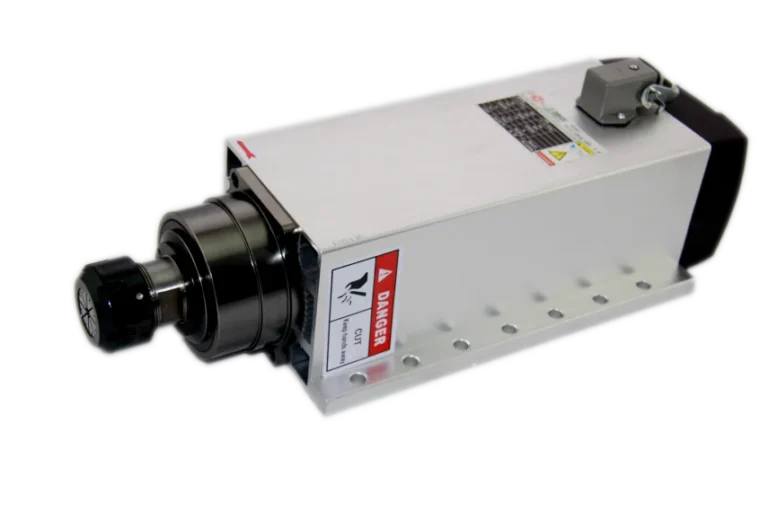
- Spindle Power and Type: Due to the variety of materials processed in advertising signage (from soft foam to hard acrylic and thin metals), spindle power is a critical factor. Spindles with power ranging typically from 3 kW to 9 kW, either air-cooled or water-cooled, are preferred. Water-cooled spindles operate more quietly and offer better thermal stability during long-term, intensive use, while air-cooled ones require less maintenance and are simpler to install. High-power spindles provide the ability to cut harder materials faster and cleaner. Additionally, spindles with Automatic Tool Changer (ATC) functionality increase automation and production efficiency by eliminating the need for manual tool changes for different operations.
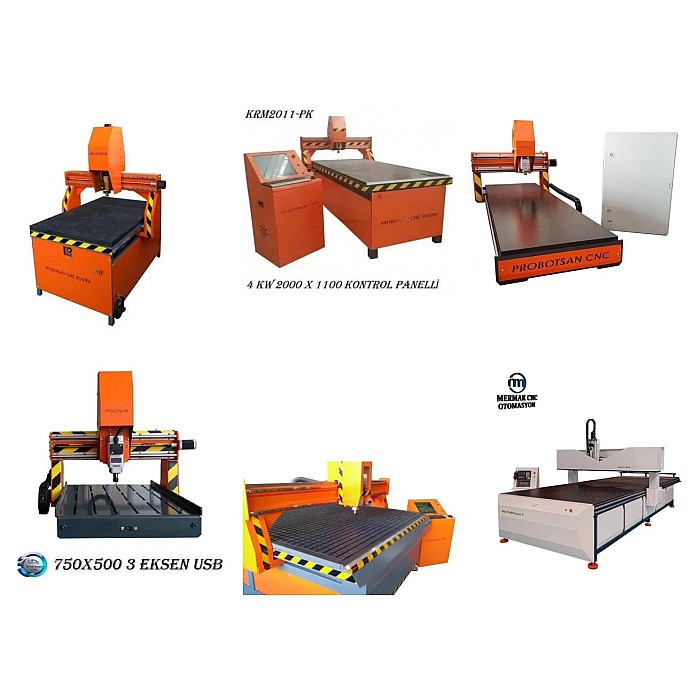
- Working Area (Table Size): Since advertising signs are often produced in large sizes, machines offering a generous working area should be preferred. Standard table sizes can typically be 1300×2500 mm, 1500×3000 mm, or larger such as 2000×4000 mm. Selecting a table size that matches standard material sheet dimensions, considering the company’s current and future needs, minimizes waste.
- Movement Speed and Acceleration: The traverse speed (idle movement speed) and cutting speed of a CNC router directly impact the production cycle time. High acceleration and deceleration capabilities ensure more efficient operation for complex geometries. Industrial-grade machines can achieve traverse speeds of 30-60 m/min and cutting speeds of 10-25 m/min. These speeds significantly increase production capacity, especially for large series.
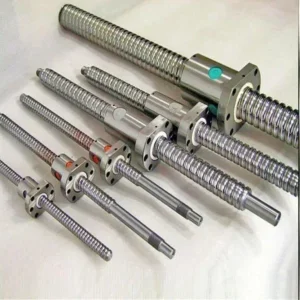
- Positioning Accuracy and Repeatability: Given the importance of visual quality in advertising signage, precision is a fundamental requirement. Positioning accuracy typically ranges from ±0.05 mm to ±0.01 mm, while repeatability should be in the range of ±0.03 mm to ±0.005 mm. These values are critically important, especially for multi-part designs or designs that need to match each other. High-quality linear guide rails, ball screws, and precision reducers play a key role in achieving this accuracy.
- Motor Type: CNC routers typically use either stepper motors or servo motors. While stepper motors are more cost-effective and sufficient for simpler applications, servo motors offer higher torque, faster response times, greater precision, and better feedback control. For high-volume, precise, and fast production applications in advertising signage, servo motors generally provide a better return on investment.
- Control System: The control system, the brain of the machine, interprets G-code to direct the motors and spindle. Popular control systems include DSP (Digital Signal Processor) based controllers (e.g., RichAuto), PC-based systems like Mach3/Mach4, and more advanced industrial PC-based controllers (e.g., Syntec, Fagor, Siemens). Industrial PC-based systems generally offer more powerful features, better user interfaces, and easier integration with other automation systems.
- Vacuum Table System: Especially when processing thin and flexible materials (acrylic, PVC, composite panel), securing the material on the table is vital. A vacuum table system, through a powerful vacuum pump, ensures the material adheres firmly to the surface, preventing vibration and improving cutting quality. This system offers a faster and more effective solution compared to mechanical clamping methods.
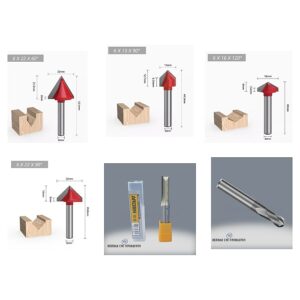
- Material Compatibility: The main materials used in advertising signage include: Acrylic (Plexiglas), PVC Foam (Forex), Composite Panel (Alucobond), MDF, Plywood, Solid Wood, Polyurethane Foam, Polycarbonate, and thin Aluminum sheets. The chosen router should be able to perform optimally on all or most of these materials. This is achieved through appropriate spindle power, a variety of cutting tools, and precise control systems.
| Parameter | Value/Description |
|---|---|
| Spindle Power | 3 kW – 9 kW (air or water-cooled, ATC optional) |
| Working Area (X, Y) | From 1300×2500 mm up to 2000×4000 mm or larger |
| Z-Axis Working Height | 150 mm – 300 mm (Varies by material thickness) |
| Movement Speed (Idle) | 30 m/min – 60 m/min |
| Processing Speed (Max.) | 10 m/min – 25 m/min (Varies by material and cutter) |
| Positioning Accuracy | ±0.01 mm – ±0.05 mm |
| Repeatability | ±0.005 mm – ±0.03 mm |
| Motor Type | Stepper Motor (economical) or Servo Motor (high performance) |
| Control System | DSP, Mach3/Mach4 or Industrial PC-based (Syntec, Fagor etc.) |
| Table System | Vacuum Table (multi-zone) or T-Slot (mechanical clamping) |
| Material Compatibility | Acrylic, PVC, Composite Panel, MDF, Wood, Aluminum, Foam, etc. |
| Cooling Type | Air or Water Cooling for Spindle |
Field Considerations
- Material Compatibility and Cutting Parameter Optimization: Each material has its unique physical properties (hardness, melting point, density). Therefore, finding the correct combination of cutting tool type (single flute, double flute, spiral, straight), spindle speed (RPM), and feed rate for different materials is critically important. For example, for acrylic cutting, high RPM and low feed rate with single-flute, polished bits are preferred, while for MDF, lower RPM and higher feed rate with double-flute bits are more effective. Comprehensive training and experience for machine operators are essential to correctly set these parameters.
- Software Integration (CAD/CAM Workflow): The efficient operation of a CNC router is directly related to powerful and compatible CAD/CAM software. Vector drawings created in design software like AutoCAD, CorelDRAW, or Adobe Illustrator are converted into G-code via CAM software such as ArtCAM, VCarve Pro, EnRoute, or AlphaCAM. The user-friendliness of these software packages, their toolpath generation, simulation, and optimization capabilities, accelerate the production process and reduce error rates. Seamless software integration ensures an uninterrupted data flow from the design office to the production line.
- Operator Training and Occupational Safety: The use of high-precision and potentially dangerous machines like CNC routers requires well-trained personnel. Operators must be proficient in machine operation, maintenance procedures, emergency protocols, G-code comprehension, and software usage. Furthermore, strict adherence to occupational safety rules (use of safety glasses, gloves, protective clothing, knowledge of emergency stop button locations and usage) is vital to prevent potential accidents. Regular safety training and audits should be conducted in the workplace.
- Periodic Maintenance and Calibration: CNC routers consist of precise mechanical and electronic components. Regular maintenance is essential for long-lasting and error-free operation. This includes routine tasks such as lubricating linear guide rails and ball screws, cleaning dust collection systems, checking electrical connections, and inspecting spindle bearings and the cooling system. Additionally, periodic calibration of axes and adjustment of backlash are important for maintaining positioning accuracy. Keeping maintenance records and adhering to the manufacturer’s recommended maintenance schedule prevents unexpected breakdowns.
- After-Sales Support and Spare Parts Supply: When purchasing a CNC router, it is necessary to evaluate not only the technical specifications of the machine but also the after-sales services of the manufacturer or distributor. Local service network, competence of the technical support team, availability of spare parts, and delivery times are critical factors in minimizing production downtime in case of potential malfunctions. As it is a long-term investment, choosing a supplier that offers reliable and accessible support infrastructure is wise.
- Price/Performance Analysis and Return on Investment (ROI): A CNC router investment includes not only the initial cost but also operating costs (electricity consumption, cutting tools, maintenance). When making a selection, it is important to identify the model that best meets the company’s needs and provides the highest return on investment, rather than just the cheapest machine. Factors such as high production speed, low waste rate, longevity, and low maintenance costs increase cost-effectiveness in the long run. An industrial-grade machine, which may seem more expensive initially, can amortize itself quickly with lower breakdown rates and higher efficiency.
Common Problems and Solutions
Below are some common problems that may be encountered during the use of CNC routers for advertising signage and their possible solutions from an industrial automation perspective:
- Cutting Quality Issues (Burrs, Rough Surface, Burn Marks):
- Problem: Formation of burrs, wavy edges, or burn marks on processed surfaces.
- Possible Causes: Worn or incorrect cutting tool, incorrect spindle speed (RPM) or feed rate, insufficient chip evacuation, machine vibration, inadequate material clamping.
- Solution: Check the cutting tool; replace if worn. Use a sharp bit suitable for the material (e.g., single flute for acrylic, double flute for wood). Optimize cutting parameters (RPM, feed rate, cutting depth). Use a powerful dust collection system for chip evacuation. Ensure the vacuum table provides sufficient vacuum. Check for play or looseness in the machine’s mechanical components.
- Axis Slippage or Positioning Errors:
- Problem: Machine not returning to its starting point, shifted cuts, or inconsistent dimensions.
- Possible Causes: Step loss in stepper or servo motors, mechanical backlash, loose belts or couplings, dirty or worn linear guide rails, electrical noise, control board issues.
- Solution: Ensure motors and drives are correctly tuned. Check and adjust mechanical backlash if necessary, or replace ball screws/nuts. Check belt tension and coupling tightness. Clean and lubricate linear guide rails. Use shielded cabling and grounding to reduce electrical noise. Seek expert support in case of control board or drive malfunction.
- Machine Vibration and Abnormal Noise:
- Problem: Excessive vibration and loud noise during operation.
- Possible Causes: Unbalanced cutting tool, insufficient workpiece clamping, loose mechanical components, worn bearings (in spindle or axis motors), uneven machine base.
- Solution: Ensure the cutting tool is balanced and correctly installed. Securely clamp the workpiece with a vacuum table or clamps. Check all bolts and nuts on the machine for looseness and tighten them. Check for wear or noise in the spindle or axis motor bearings; send for authorized service if necessary. Install the machine on a flat and solid surface, check foot adjustments.
- Spindle Malfunctions (Overheating, Low Performance, Noise):
- Problem: Spindle overheating, loss of power, or abnormal sounds.
- Possible Causes: Insufficient cooling (clogged water channels, faulty fan), worn bearings, incorrect voltage or current, excessive force.
- Solution: For water-cooled spindles, ensure the cooling water is clean, the pump is working, and water flow is sufficient. For air-cooled spindles, check the cleanliness of the fan and air channels. Check for play or noise in spindle bearings; send to authorized service if necessary. Check electrical connections and drive settings. Do not force the machine beyond its specified maximum cutting capacities.
- Software/Control System Problems:
- Problem: G-code errors, machine not responding to commands, software crashes.
- Possible Causes: Incorrect G-code generation, CAM software incompatibility with the control system, computer or control board connection issues, outdated driver software.
- Solution: Detect G-code errors in advance by simulating them in the CAM software. Ensure the CAM software generates G-code in a format compatible with the control system. Check connections (USB, Ethernet) between the control board and the computer. Regularly update control system software and drivers. Ensure the computer is free from viruses and other software issues.
Expert Advice
For the advertising signage industry, selecting the right CNC router is a strategic decision to gain a competitive advantage and enhance production quality. The technical specifications, field applications, and potential problems detailed in this guide provide a roadmap for businesses planning to invest. It is important to remember that the most suitable CNC router model will vary according to the company’s current and future needs, the types of materials it will process, production volume, and budget. High precision, powerful spindle, large working area, reliable control system, and good after-sales support are indispensable criteria for long-term success. Especially servo motor-driven models with vacuum tables and Automatic Tool Changers (ATC) offer the most ideal solutions for industrial signage companies in terms of efficiency and automation. When making an investment decision, instead of focusing solely on the initial cost, it is crucial to consider the Total Cost of Ownership (TCO), including efficiency gains throughout the machine’s lifespan, maintenance costs, energy consumption, and potential downtime. Furthermore, before purchasing the machine, visiting reference companies with similar applications, watching live demos, and having detailed discussions with the supplier’s technical team will help you make the right decision. To fully benefit from the technological advantages brought by industrial automation, investing not only in the machine but also in operator training, quality consumables, and regular maintenance will secure your company’s future. This holistic approach will ensure sustainable success and a lasting competitive advantage in the advertising signage sector.
FAQ
What is a CNC router for advertising signage?
A CNC router for signage is a computer-controlled machine that precisely cuts, engraves, and shapes various materials like acrylic, PVC, aluminum, and wood based on digital designs. It automates production, ensuring high accuracy and repeatability for advertising signs.
What are the essential technical specifications for a CNC router in signage production?
Key features include spindle power (3-9 kW), large working area (e.g., 1500×3000 mm), high movement speeds (up to 60 m/min), high positioning accuracy (±0.01 mm), servo motors for precision, industrial control systems, and a vacuum table for material clamping.
What materials can an industrial CNC router cut for sign making?
CNC routers can process a wide range of materials such as acrylic (Plexiglas), PVC foam (Forex), composite panels (Alucobond), MDF, plywood, solid wood, polyurethane foam, polycarbonate, and thin aluminum sheets.
What are common problems encountered with CNC routers in signage and how can they be resolved?
Common issues include poor cutting quality (burrs, rough edges), axis slippage, machine vibration, and spindle malfunctions. Solutions involve optimizing cutting parameters, checking mechanical components, ensuring proper material clamping, and regular maintenance.
How do I choose the right CNC router model for my sign-making business?
Consider the types of materials you'll process, required production volume, desired precision, and budget. Look for robust construction, reliable components (servo motors, linear guides), comprehensive after-sales support, and a suitable control system. Evaluate the Total Cost of Ownership (TCO) over the machine's lifespan.