No products in the cart.
Mach3 Limit Switch and Emergency Stop Button Connection Settings
Contents
Introduction and Technical Analysis
In the world of industrial automation, particularly with CNC (Computer Numerical Control) machines, safety and precision are the cornerstones of operational continuity and personnel protection. In this context, the limit switch and emergency stop (E-stop) button, integrated with popular CNC control software like Mach3, are critically important for safeguarding machine assets and ensuring operator safety. This field guide and technical article aim to provide industrial automation experts and practitioners with a comprehensive overview of how to correctly connect, configure, and troubleshoot these safety components in Mach3-based systems. Proper installation not only ensures compliance with regulatory standards but also prevents potential equipment damage, production downtime, and most importantly, workplace accidents. The correct integration of these components restricts the machine’s range of motion, preventing mechanical collisions, and enables operators to intervene instantly in hazardous situations. The design and implementation of safety systems have a direct impact on the overall stability and efficiency of the system.
Operating Principle and Technical Data
Limit switches and emergency stop buttons perform distinct yet complementary safety functions in CNC machines. Both are typically preferred with a Normally Closed (NC) contact configuration, meaning that in the event of a cable break or switch failure, the circuit opens, and the machine transitions to a safe state. This “fail-safe” design principle forms the foundation of industrial safety standards.

Limit Switches
Limit switches are used to detect when the moving axes (X, Y, Z, A, B, etc.) of a CNC machine exceed a specific physical boundary. They primarily serve two main functions: overtravel protection and homing. Overtravel protection prevents the machine from moving beyond its mechanical limits, thereby preventing damage to both the machine and the workpiece. Homing ensures the machine returns to a precise starting point, allowing for accurate setup of workpiece coordinate systems.
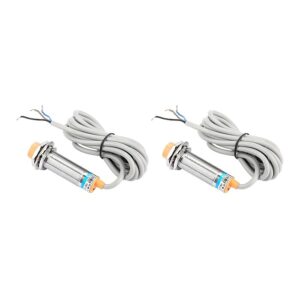
Different types of limit switches are available: mechanical micro switches, inductive sensors, optical sensors, and magnetic sensors. Mechanical switches require physical contact, while inductive and optical sensors offer non-contact detection, requiring less maintenance and providing a longer lifespan. Inductive sensors detect metal targets, while optical sensors operate on the principle of interrupting a light beam. The choice of type depends on the environmental conditions of the application, such as dust, moisture, vibration, and the required level of precision.
Connection to Mach3 is typically made via a parallel port or a dedicated motion control card (Ethernet or USB-based). Separate limit switches (positive and negative direction) and a homing switch may be required for each axis. In Mach3’s “Ports and Pins -> Input Signals” tab, a separate input pin is assigned for each limit and homing switch. When using an NC contact configuration, the “Active Low” option is usually checked, because the signal will be low (0V) when the switch is normally closed (not triggered) and high (5V or supply voltage) when triggered. However, if the control card inputs have internal pull-up resistors and the switch provides a high signal when not triggered, the “Active High” option should be checked. These settings must be carefully configured according to the electrical characteristics of the control card and switch used.
It is possible to connect multiple limit switches to a single pin. For example, all limit switches can be wired in series and configured as a single “Limit” input. However, in this case, it becomes difficult to determine which limit switch has been triggered. The safest and easiest method for diagnosis is to connect each limit switch to a separate input pin. This allows you to see which limit is active on the Mach3 screen and diagnose the problem faster. Series connection is suitable for NC contacts; if one of the switches opens, the entire circuit opens, and Mach3 will report a limit error. Parallel connection can be used for NO contacts, but it is not preferred for safety reasons.

Emergency Stop Button (E-stop)
The emergency stop button is the highest-level safety mechanism that allows an operator or observer to immediately halt all machine movement and potentially the spindle motor in the event of sudden danger. It is typically designed as a large, red, mushroom-headed button and mounted in an easily accessible location. E-stop buttons must be of the latching type, meaning that once pressed, they must remain active until manually reset. This prevents accidental restarts.
The E-stop button circuit is typically designed to directly cut the machine’s main power contactor. This ensures that the machine stops safely even if the Mach3 software or control card malfunctions. In many industrial applications, the E-stop button is connected to the main contactors via safety relays or safety PLCs. These relays continuously monitor the integrity of the E-stop circuit and provide a safe shutdown in the event of any fault. Connection to Mach3 is made to a dedicated E-stop input on the parallel port or motion control card. Again, an NC contact configuration is preferred and configured as “Active Low” in Mach3.
When the E-stop input in Mach3 is triggered, the software instantly stops all axis movements and the spindle motor. This is achieved by cutting the “Enable” signal to the motor servo drives or by sending direct stop commands. The correct operation of the E-stop is an absolute necessity for machine safety and must be tested regularly.
| Parameter | Value/Description |
|---|---|
| Limit Switch Type | Mechanical (lever/roller), Inductive, Optical, Magnetic |
| E-Stop Contact Type | Normally Closed (NC), Latching |
| Supply Voltage (for Sensors) | Typically 5V DC or 12-24V DC |
| Switch Contact Configuration | NC (Normally Closed) |
FAQ
What is the primary function of a limit switch on a CNC router machine?
Limit switches are essential safety devices on industrial CNC router machines that detect when a moving axis reaches its physical travel limit. They prevent mechanical collisions, protect the machine and workpiece from damage, and are also used for precise homing operations to establish a machine's reference point.
Why is an emergency stop button crucial for industrial CNC operations?
An emergency stop (E-stop) button provides an immediate and complete shutdown of all machine operations, including axis movement and spindle rotation, in the event of an emergency. It is the highest level of safety intervention, designed to protect operators and prevent severe damage.
What type of contact configuration is recommended for limit switches and E-stop buttons with Mach3?
For both limit switches and E-stop buttons, a Normally Closed (NC) contact configuration is generally preferred. This is a fail-safe design, meaning that if a wire breaks or the switch itself malfunctions, the circuit opens, and the machine automatically enters a safe, stopped state.
How do I configure limit switches and the E-stop button in Mach3 software?
In Mach3, you configure limit switches and E-stop buttons under the 'Ports and Pins' -> 'Input Signals' tab. You assign a specific input pin for each switch and typically select 'Active Low' for NC contacts. For E-stop, ensure it's configured to immediately halt all machine functions.
Can I connect multiple limit switches to a single input pin on my Mach3 control card?
While it's technically possible to wire multiple limit switches in series to a single input pin (for NC contacts), it's highly recommended to connect each limit switch to a separate input pin. This allows Mach3 to identify precisely which limit has been triggered, making troubleshooting much easier and faster.