












































































10 Critical Checks When Buying a Used CNC Router Machine

📑 Table of contents (Click to open)
- 10 Critical Checks When Buying a Used CNC Router Machine: Introduction and Technical Analysis
- 10 Critical Checks When Buying a Used CNC Router Machine: Operating Principles and Technical Data
- 10 Critical Checks When Buying a Used CNC Router Machine: On-Site Considerations
- 10 Critical Checks When Buying a Used CNC Router Machine: Common Problems and Solutions
- 10 Critical Checks When Buying a Used CNC Router Machine: Conclusion and Expert Advice
- FAQ
10 Critical Checks When Buying a Used CNC Router Machine: Introduction and Technical Analysis
CNC Router machines have become an indispensable part of industrial automation and modern manufacturing processes, playing a critical role in various sectors with their precise cutting, engraving, and shaping capabilities. They directly impact production efficiency and quality, especially in woodworking, plastics, composite materials, advertising, and prototyping. While investing in a new CNC router can be a significant cost for businesses, the used CNC router market offers budget-friendly alternatives, making it an attractive option for small and medium-sized enterprises (SMEs) and start-ups. However, purchasing a used machine comes with inherent risks. These risks are directly related to the machine’s past usage history, maintenance status, and existing technical issues. Insufficient preliminary inspection can lead to unexpected breakdowns, high repair costs, and production interruptions in the long run, negating the initial cost advantage. Therefore, a detailed and systematic inspection process when buying a used CNC router is vital for determining the machine’s true value and potential, minimizing possible risks, and maximizing return on investment. This field guide, based on expertise and practical experience in industrial automation and machine engineering, comprehensively covers 10 critical points to consider when purchasing a used CNC router. Our aim is to provide potential buyers with the necessary technical knowledge and practical inspection steps for making an informed and secure investment.
10 Critical Checks When Buying a Used CNC Router Machine: Operating Principles and Technical Data
A CNC Router is a computer-controlled cutting machine that typically processes materials using a spindle motor moving along three main axes (X, Y, Z). Its operating principle relies on converting 2D or 3D models created in computer-aided design (CAD) software into machine language, known as G-code, using computer-aided manufacturing (CAM) software. These G-codes are transmitted to the machine’s control unit, which then actuates the motors (usually stepper or servo motors) to precisely guide the spindle motor along a defined path. The cutting tool on the spindle motor rotates to remove, cut, or shape the material. The machine’s performance, processing precision, and speed depend on numerous technical parameters. The work envelope defines the maximum material size the machine can process, while the spindle motor power and RPM directly affect the types of materials that can be processed and the cutting depth. Feed rate and rapid traverse rate are crucial for production efficiency. Positioning accuracy and repeatability guarantee the quality and consistency of manufactured parts. The control system is the brain of the machine, interpreting G-codes and managing the motors; the modernity of this system and its software compatibility determine the machine’s ease of use and future adaptability. The drive type – ball screw, rack and pinion, or belt drive – has different effects on the movement precision and speed of each axis. These machines can process a wide range of materials such as wood, MDF, acrylic, PVC, aluminum, and composite panels, and are widely used in countless industrial fields like furniture manufacturing, sign production, mold making, prototyping, decoration, and architectural modeling. When evaluating a used machine, a detailed examination of the current status and past performance of these technical data provides important clues about the machine’s future operational capacity.
| Parameter | Value/Description |
|---|---|
| Working Area (X/Y/Z) | Example: 1300x2500x200 mm (Material Dimensions) |
| Spindle Motor Power | Example: 6 kW (Air Cooled) |
| Spindle Motor Speed | Example: 0-24000 RPM (Revolutions Per Minute) |
| Max. Axis Movement Speed | Example: 25 m/min (Processing Speed) |
| Positioning Accuracy | Example: ±0.05 mm |
| Repeatability | Example: ±0.03 mm |
| Control System | Example: Mach3 / Syntec / DSP Controller |
10 Critical Checks When Buying a Used CNC Router Machine: On-Site Considerations
- 1. Mechanical Structure and Frame Integrity: The overall condition of the chassis and mechanical structure, which form the machine’s foundation, is critical for its longevity and processing accuracy. Check for cracks, rust, bends, or signs of deformation on the chassis. Pay particular attention to areas around weld points and fasteners. Ensure the machine’s base and columns are level and sturdy. A rigid structure capable of absorbing vibration during heavy machining operations directly affects processing quality. Also, check the condition of the leveling feet or screws that secure the machine. Any structural weakness can lead to costly repairs or permanent loss of accuracy in the future.
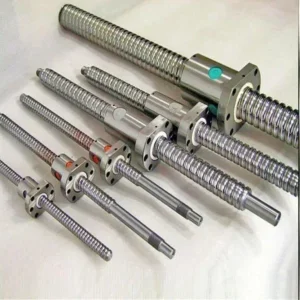
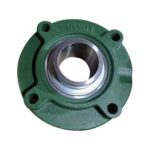
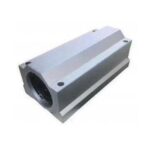
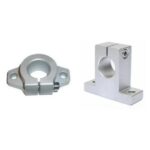
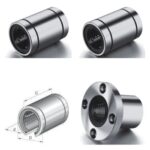
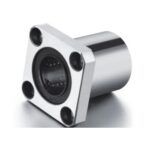
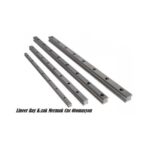
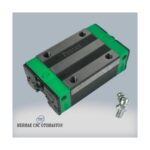
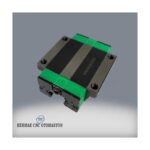
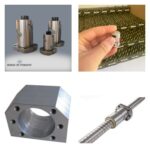
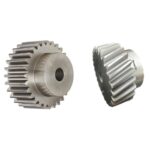
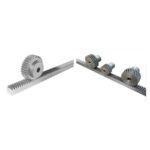
- 2. Axis Motion Systems (Linear Guide Rails, Ball Screws, and Bearings): The heart of a CNC router’s precision lies in its axis motion systems. Linear guide rails, ball screws or rack and pinion systems, and their supporting bearings, must be thoroughly inspected. Check for scratches, dents, rust, or signs of wear on the guide rails. Move all axes manually or via the control system slowly and quickly to listen and feel for any sticking, friction noise, or backlash. Observe ball screws for thread wear, dirt buildup, or warping. Check rack and pinion gears for broken teeth or excessive wear. Ensure bearings operate smoothly and without excessive noise. Worn or damaged axis components reduce machining accuracy and will require expensive replacements in the future.
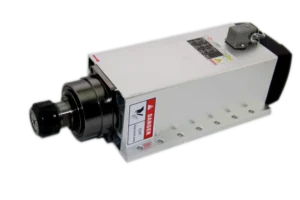
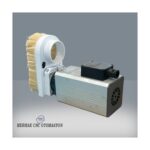
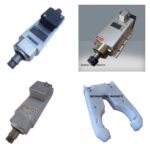
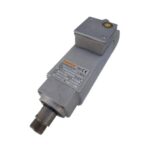
- 3. Spindle Motor Condition and Cooling System: The spindle motor is the most crucial component for performing cutting operations. Operate the spindle motor and listen at different speeds (if possible). Excessive noise, vibration, or abnormal heating can indicate worn bearings or balance issues. Ensure the spindle motor’s clamping system (collet or tool holder) functions correctly and that the tool holder seats precisely. Inspect the spindle motor’s cooling system (air or liquid cooled). For air-cooled spindles, verify the fan operates correctly and its channels are not clogged; for liquid-cooled spindles, confirm the water pump, radiator, and hoses are intact, free of leaks, and the coolant is clean. Inadequate cooling shortens the spindle motor’s lifespan and degrades its performance.
- 4. Control System and Electronics Panel: The functionality and condition of the CNC control unit (e.g., Mach3, DSP, Syntec, Fanuc, Siemens, etc.) and its associated electronics panel are vital. Ensure all buttons, switches, and the screen on the control panel operate correctly. Observe if the control software is stable and if it displays any error messages. Open the electrical panel (following safety rules and with an authorized person) to check if the wiring is organized, free of loose connections, burn marks, or signs of overheating. Inspect the physical condition of the servo drives, power supplies, and other electronic components. An old or problematic control system can lead to incompatibility with modern software and make future upgrades difficult.
- 5. Motors and Drives (Stepper/Servo): The motors (stepper or servo) that provide movement for each axis and their controlling drives should be inspected. Check the physical condition of the motors for any damage or signs of overheating (discoloration, melting). Listen to the sounds from the motors while the machine is running; abnormal noise or vibrations can indicate problems. Also, check the physical condition of the drives and ensure their connections in the panel are secure. Pay special attention to the integrity of feedback (encoder) cables in servo motor systems. Operate the machine at different speeds and loads to test the correct calibration and matching of the motors and drives.
- 6. Cabling and Sensors: Review the condition of all electrical cables, signal cables, and pneumatic/hydraulic hoses within the machine. Ensure cable carriers (chains) are intact, and cables are not crushed, cut, or excessively strained. Especially for cables on moving axes, ensure they are installed with appropriate bending radii. Test that limit switches, emergency stop buttons, and other safety sensors (e.g., tool length measurement sensor, workpiece probing sensor) function correctly. Loose or damaged cabling can lead to electrical faults, signal loss, and safety risks.
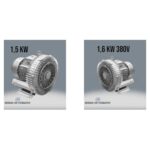
- 7. Vacuum Table and Workpiece Clamping System: If the machine has a vacuum table, check the table’s flatness, and for any cracks or deformation. Verify that the holes or channels on the vacuum table surface are not clogged. Operate the vacuum pump to test its suction power and check for leaks. Ensure seals and fasteners are secure. For machines without a vacuum table, inspect the condition of the T-slot channels for any damage or blockages. Confirm that the workpiece clamping system (clamps, vises, etc.) is complete and functional.
- 8. Cooling and Lubrication Systems: These systems are critical for dissipating heat generated during processing and reducing wear on moving parts. Inspect the spindle motor cooling system (if liquid-cooled) as mentioned above. For a central lubrication system (if present), check if the pump is working, the oil level, distribution lines, and lubrication points. Observe hoses for leaks or blockages. Automatic lubrication systems extend machine life and reduce maintenance costs, so ensuring they are functional is important. Inadequate or faulty lubrication leads to premature wear and breakdowns.
- 9. Accessories and Automatic Tool Changers (ATC): Check if all accessories supplied with the machine (tool holders, collets, pumps, wrenches, software, etc.) are complete and functional. If the machine has an automatic tool changer (ATC) feature, test the mechanical movement of the tool magazine, the placement of tool holders, and the smooth operation of the tool change mechanism. Ensure tool change sensors work correctly and that tool changes occur smoothly. The ATC system is important for production efficiency and should be thoroughly inspected.
- 10. Documentation, Service History, and Manufacturer Support: Check if all documentation, such as user manuals, electrical schematics, spare parts lists, and software licenses, are complete. Try to obtain information about the machine’s previous maintenance records, repairs performed, and parts replaced. This information provides important clues about the machine’s past performance and potential weaknesses. Research whether the manufacturer or distributor is still active and if they can provide technical support or spare parts in the future. Reliable manufacturer support is vital for the long-term operational continuity of the machine.
10 Critical Checks When Buying a Used CNC Router Machine: Common Problems and Solutions
One of the most common problems encountered when purchasing a used CNC router is loss of machining accuracy. This typically results from worn ball screws, loose axis connections, worn linear guide rails, or bearings with excessive play. As a solution, first check the tightness of all mechanical connections, then replace worn or damaged components (ball screw, guide rail, bearing), and finally re-calibrate the machine’s geometry. Another frequent issue is spindle motor problems, which usually manifest as abnormal noise, overheating, or vibration, caused by bearing wear, imbalance, or cooling system malfunctions. These problems can be resolved by bearing replacement, spindle motor rebalancing, or repair/replacement of the cooling system (fan, pump, radiator). Control system and electronic failures are also common. Outdated software, electrical interference, loose cable connections, or faulty drives can cause the machine to operate erratically or not at all. In this case, software updates, detailed inspection of the electrical panel, overhaul of the grounding system, and replacement of faulty electronic components can be solutions. Axis jamming or abnormal noises are typically signs of insufficient lubrication, accumulation of dirt, or mechanical damage to guide rails and ball screws. Regular cleaning and proper lubrication can prevent most of these issues; however, if there is severe wear, replacement of the affected parts is unavoidable. Finally, loss of suction power in the vacuum table can result from leaking seals, cracks on the table surface, or malfunctions in the vacuum pump. These problems can be resolved by inspecting and replacing seals and hoses, repairing damage to the table surface, or servicing/replacing the vacuum pump. Most of these problems can be detected during a detailed preliminary inspection and test runs, providing potential buyers with negotiation leverage.
10 Critical Checks When Buying a Used CNC Router Machine: Conclusion and Expert Advice
Investing in a used CNC router, when done correctly, can provide significant cost advantages and rapid production capacity increases for businesses. However, realizing these benefits depends on a comprehensive and technical evaluation of the machine’s current condition. The 10 critical inspection points detailed in this guide offer a roadmap for potential buyers to minimize risks and make an informed decision. It is important to remember that a CNC router is not just a pile of iron, but a precise engineering marvel, and each of its components directly affects overall performance and machining quality. Especially mechanical wear, electronic failures, and control system incompatibilities can make an initially attractive price much more expensive in the long run with exponentially increasing maintenance and repair costs. Therefore, inspecting the machine on-site, testing all axes and the spindle motor at different speeds and loads, and even performing a test cut with your own material if possible, are vitally important. As expert advice, if your own technical knowledge is insufficient, always go to inspect the machine with an experienced CNC technician or machine engineer. Details that might escape an untrained eye can be critical for your future operational continuity. Furthermore, soft data such as the machine’s past usage history, maintenance records, and manufacturer support are as important as technical checks. A well-documented and regularly maintained machine generally causes fewer problems. In conclusion, purchasing a used CNC router should be a strategic investment decision supported by meticulous research, detailed inspection, and expert opinion, rather than hasty decisions. This approach will help you protect your budget and enable your business to achieve its production goals smoothly.
FAQ
What are the most important areas to check when buying a used CNC router machine?
When purchasing a used CNC router, carefully inspect the mechanical structure for cracks, rust, or deformation. Check the axis motion systems (linear guide rails, ball screws, bearings) for wear, backlash, or unusual noises. Evaluate the spindle motor for abnormal sounds, vibration, or overheating, and verify the cooling system's functionality. Assess the control system and electronics panel for stability, error messages, and wiring integrity. Test the motors and drives, and examine all cabling and safety sensors. Ensure the vacuum table (if present) has strong suction and no leaks. Verify cooling and lubrication systems are operational. Check all accessories, especially automatic tool changers. Finally, request documentation, service history, and confirm manufacturer support.
What are the most common problems found in used CNC routers?
Common problems include loss of machining accuracy due to worn mechanical components (ball screws, linear guide rails, bearings), spindle motor issues (bearing wear, imbalance, cooling system failure), control system and electronic malfunctions (outdated software, loose connections, faulty drives), axis jamming from poor lubrication or contamination, and loss of vacuum table suction.
How can I verify the machining accuracy of a used CNC router?
To ensure accuracy, inspect linear guide rails, ball screws, and bearings for wear or damage. Check for backlash in the axes by moving them manually. Run test programs to verify positioning accuracy and repeatability. A professional technician can perform calibration tests to identify any geometric inaccuracies.
What expert advice should I follow when considering a used CNC router purchase?
Always inspect the machine on-site. Test all axes and the spindle motor at various speeds and loads. If possible, perform a test cut with your own material to assess performance. If you lack technical expertise, bring an experienced CNC technician or machine engineer. Request full documentation, including maintenance records and service history. Verify ongoing manufacturer support and spare parts availability.
What are the main benefits of buying a used CNC router?
A used CNC router can offer significant cost savings and faster production capacity increase compared to new machines. It's an attractive option for SMEs and startups to acquire advanced manufacturing capabilities without a large initial investment.