No products in the cart.
5 Profitable Home-Based Business Ideas with a Desktop CNC Router
Contents
- Introduction and Technical Analysis
- Operating Principle and Technical Data
- 5 Profitable Business Ideas You Can Start at Home with a Desktop CNC Router
- 1. Custom Wood and Acrylic Products
- 2. Electronic Prototyping and PCB Manufacturing
- 3. Jewelry and Model Mold Making
- 4. Personalized Promotional Products and Branding
- 5. Artistic Applications and 3D Carving
- Field Considerations
- Common Problems and Solutions
- Expert Advice
- FAQ
5 Profitable Home-Based Business Ideas with a Desktop CNC Router: A Field Guide and Technical Article
Introduction and Technical Analysis
In an era where industrial automation and digital manufacturing techniques are rapidly democratizing, desktop CNC machines have become a game-changing technology for small-scale businesses and home-based entrepreneurs. Precision machining capabilities, traditionally monopolized by large industrial facilities, are now accessible to individual users through compact, cost-effective, and user-friendly desktop systems. These machines integrate with computer-aided design (CAD) and computer-aided manufacturing (CAM) software, offering the ability to cut, engrave, and shape various materials such as wood, plastic, acrylic, light metals, and composites with millimeter-level accuracy. This article will delve into the fundamental principles and technical specifications of desktop CNC technology from an industrial automation perspective, along with 5 profitable business ideas that can be established at home using this powerful tool. Our objective is to present the opportunities, application areas, and critical technical details provided by this technology from the viewpoint of a sector expert. Desktop CNC routers offer unique advantages for prototyping, customized production, and small-batch manufacturing, removing technical barriers to creativity and entrepreneurship.
Operating Principle and Technical Data
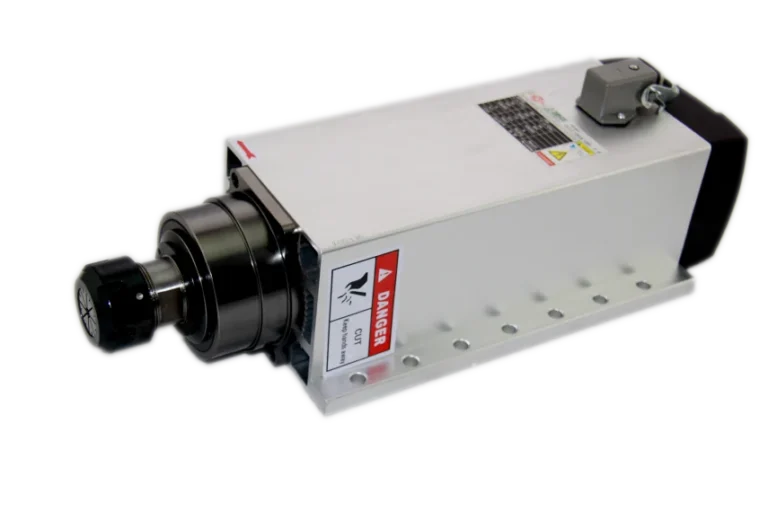
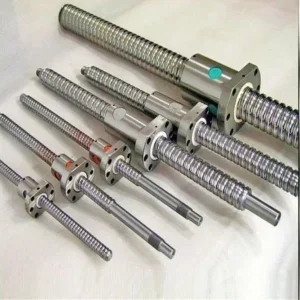
Desktop CNC machines fundamentally operate on the principle of material processing via computer-controlled motion systems and a cutting tool (spindle). The process begins with creating a design in CAD software. This design is then transferred to CAM software, where toolpaths are calculated according to the geometry of the part to be machined. The CAM software converts these toolpaths into a series of commands called G-code, which the machine understands. G-code defines how much each axis (X, Y, Z) of the machine should move, at what speed the spindle should rotate, and how deep the tool should penetrate the material. These codes are transmitted via a control board to the machine’s stepper motors or servo motors. The motors drive the axes, which provide linear motion through lead screws or ball screws. The spindle, moving along these axes, processes the material with an attached milling bit, engraving bit, or laser module. During machining, precision and repeatability are directly related to the resolution of the motors used, the quality of the mechanical components (linear guides, lead screws), and the stability of the control system. Desktop CNC routers are typically 3-axis (X, Y, Z), with some models offering a 4th axis (rotary table) option. These machines can work with a wide range of materials, including wood, acrylic, ABS, PVC, aluminum, brass, and even some composite materials. Material clamping (vise, vacuum table, or double-sided tape) and chip/dust management are critically important during processing.
| Parameter | Value/Description |
|---|---|
| Working Area (X,Y,Z) | Typically ranges from 300x200x60mm to 600x400x150mm. |
| Spindle Power | 200W – 1.5kW (DC or AC motor), ER11/ER16 collet system. |
| Motor Type | Mostly NEMA 17 or NEMA 23 size stepper motors. |
| Repeatability | Varies between ±0.02mm and ±0.05mm, depending on mechanical structure. |
| Material Compatibility | Wood, acrylic, PVC, ABS, PCB, aluminum, brass, composite materials. |
| Control Software | GRBL-based (Candle, UGS), Mach3/Mach4, Estlcam, Carbide Create. |
| Connection Interface | USB, Ethernet (for more professional models). |
| Frame Structure | Aluminum extrusion, steel, composite materials. Vibration damping is important. |
| Feed Rate (Max.) | Must be checked according to manufacturer datasheet. Generally 1000-3000 mm/min. |
5 Profitable Business Ideas You Can Start at Home with a Desktop CNC Router
1. Custom Wood and Acrylic Products
Desktop CNC routers are ideal for producing personalized products from materials like wood and acrylic. This category covers a wide range, from decorative home goods to customized gifts. For example, you can produce custom engraved cutting boards, personalized keychains with names, custom photo frames, 3D carved wall panels, wooden or acrylic signs, custom-designed serving trays, and even small furniture components. The market particularly appeals to niche audiences who prefer handmade and personalized items. These products can be easily marketed through social media, local craft fairs, and e-commerce platforms. Technically, selecting the correct milling bit, feed rate, and spindle speed settings for different wood types (oak, walnut, pine) and acrylic thicknesses is crucial. Proper sanding and finishing techniques also enhance the product’s value. In this business model, design capability and the capacity to respond quickly to customer demands directly impact success.
2. Electronic Prototyping and PCB Manufacturing
Rapid prototyping is indispensable for electronics engineers, hobby electronics enthusiasts, and startups. Desktop CNC machines offer an excellent solution, especially for manufacturing single or double-layer printed circuit boards (PCBs). It is possible to mill conductive traces, drill holes, and cut outer contours on copper-clad pertinax or FR4 materials. Additionally, customized enclosures (cases) for special electronic devices can be easily produced from acrylic or aluminum using these machines. This accelerates product development processes and reduces reliance on external suppliers. Profitability in this area arises particularly from small batches or unique prototypes. Precise tool selection (engraving bits down to 0.1mm), accurate Z-axis calibration, and a dust-free working environment are vital for quality PCB production. Furthermore, offering a complete solution from design files (Gerber files) to production provides a competitive advantage when offering this service.
3. Jewelry and Model Mold Making
Desktop CNC routers can be used for detailed and precise mold production, especially in the jewelry and modeling sectors. Wax carving, traditionally done by hand, can be achieved much faster and more repeatably with CNC. Complex jewelry designs, miniature figures, or prototype parts can be carved on soft materials such as wax, mold resin, or special modeling plastics. These carved models then form the master shape for molds used in casting (especially the lost-wax casting technique). This business idea appeals particularly to boutique jewelers specializing in custom jewelry design or manufacturers of miniature models. High-resolution machining capability ensures that even very fine details can be successfully produced. The milling bits used here are typically very small in diameter (below 0.5mm) and conical, requiring careful attention to tool life and breakage. 3D modeling and toolpath optimization in CAM software are key to success in this field.
4. Personalized Promotional Products and Branding
Corporate firms, event organizers, and individual users show high demand for personalized promotional products that carry their brands or messages. Desktop CNC machines offer a wide range of products in this area. Logos, names, or custom designs can be engraved on pens, keychains, USB drives, mugs, notebooks, plaques, and even phone cases. Wood, acrylic, metal (if capable of engraving), and some plastic types can be used for this purpose. A CNC integrated with a laser module provides a significant advantage, especially for branding and engraving tasks. This business model offers low startup costs and high demand potential. The need for small and medium-sized enterprises (SMEs) to strengthen their corporate identity keeps the demand for such services constant. Fast delivery times and flexible production capacity are key factors determining competitive advantage in this field.
5. Artistic Applications and 3D Carving
Desktop CNC routers open new doors for artists and craftspeople to express their creativity. A wide range of artistic works can be produced, from 2D engraving to complex 3D carvings. Products such as relief panels on wood, decorative sculptures, custom-designed wall panels, calligraphy applications, and even personalized gift boxes can be created. This business model combines artistic talent with technical CNC knowledge to potentially create unique and high-value products. The market consists of art galleries, interior designers, collectors placing special orders, and individuals seeking niche gift items. 3D carving specifically requires complex CAM software and multiple toolpaths (roughing and finishing). Material selection (natural wood grains, stone texture imitation) and finishing techniques (painting, varnishing) directly affect the aesthetic value of the product. In this field, the main competency is translating artistic vision into a digital environment and transforming it into a physical object with a CNC machine.
Field Considerations
- Material Selection and Clamping: Appropriate toolpaths and cutting parameters must be determined based on the type, density, and thickness of the material to be processed. Securely clamping the material to the table prevents vibration and slippage during machining, increasing accuracy. Methods such as vacuum tables, vises, or double-sided tape can be used.
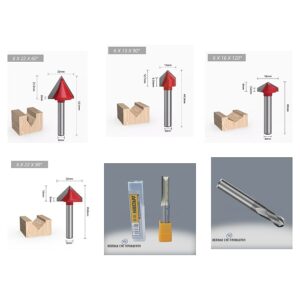
- Tool Selection and Usage: Each material and type of machining (roughing, finishing, drilling, engraving) requires different milling bits. The tool’s diameter, number of flutes, coating, and geometry directly affect cutting quality, tool life, and machining speed. A dull or incorrectly selected tool will degrade surface quality and can lead to tool breakage.
- Safety Protocols: Since CNC machines operate with rotating cutting tools and high speeds, safety precautions are vital. The use of eye protection and a dust mask is mandatory. Ensuring the emergency stop button is easily accessible, keeping unnecessary objects away from the machine while it’s operating, and never leaving the machine unattended are fundamental rules.
- Maintenance and Calibration: Regular maintenance extends the machine’s lifespan and maintains its accuracy. Cleaning and lubricating the axes, checking and adjusting backlash on lead screws, and inspecting spindle bearings should be done periodically. Z-axis calibration should be repeated before each machining operation or after a tool change.
- Software and CAM Knowledge: Proficiency in CAD/CAM software is essential for efficient and error-free production. Toolpath optimization, pre-detection of potential collisions through simulations, and the ability to make basic edits to G-code accelerate the production process and reduce material waste.
- Environmental Control: Intensive dust and chips are generated, especially when processing wood and some plastics. An effective dust extraction system ensures a clean working environment and helps protect machine components (linear guides, lead screws) from dust. Additionally, good ventilation is required for fumes and odors produced during the processing of some materials.
Common Problems and Solutions
Here are some common problems encountered in desktop CNC use and their solutions:
- Poor Cut Quality or Surface Roughness:
- Problem: Roughness, burrs, or waves on the machined surface.
- Solution: Incorrect tool selection, excessive feed rate, low spindle speed, or a dull tool can cause this. Check the tool, use a new tool suitable for the material. Reduce the feed rate and increase the spindle speed. If necessary, opt for a milling bit with more flutes. Check for looseness in machine components.
- Tool Breakage:
- Problem: Milling bit breaking during machining.
- Solution: Usually caused by excessive feed rate, insufficient spindle speed, too deep a pass (cutting depth), incorrect tool, or inadequate material clamping. Reduce the feed rate, decrease the pass depth. Clamp the material better. Ensure the tool is suitable for the material and sharp.
- Axis Shifts or Position Errors:
- Problem: Dimensions or position of the machined part differing from the design file, layer shifts.
- Solution: Can result from stepper motors skipping steps (insufficient motor power), loose lead screws, backlash, or cable connection issues. Check motor currents, tighten lead screw and motor connections. Adjust mechanical backlash or apply compensation settings. If USB connection interruptions occur with long G-codes, consider a more stable control board or Ethernet connection.
- Machine Vibration or Excessive Noise:
- Problem: Machine vibrating excessively or making louder-than-normal noise during operation.
- Solution: Ensure the surface where the machine is placed is level and solid. Check and tighten loose mechanical parts (nuts, bolts). Check if the spindle is running unbalanced. Ensure the tool is correctly inserted and balanced. Use anti-vibration pads if necessary.
- Software or Control Problems:
- Problem: Unable to load G-code, machine unresponsive to commands, or random stops.
- Solution: Ensure control software is up to date. Check the USB cable or try a different port. Ensure the computer does not enter sleep mode during G-code processing. Check the G-code file for syntax errors (most CAM software checks automatically). Electrical interference can also cause such problems; review grounding and cable routing.
- Material Burning or Melting:
- Problem: Material leaving burn marks or melting, especially when processing wood or plastic.
- Solution: This usually results from excessive friction and heat buildup. Reduce spindle speed, increase feed rate (tool should move faster). Insufficient chip evacuation also causes problems; increase pass depth to allow the tool to cut the material more efficiently. Use air blast or cooling fluid (rarely for plastics) if necessary.
Expert Advice
Desktop CNC machines are one of the finest examples of industrial automation adapting to small-scale, flexible, and home-based production. With their precision, repeatability, and material versatility, they offer individual entrepreneurs and small businesses the opportunity to produce value-added products without requiring large capital investments. The 5 business ideas detailed above represent only a small fraction of the potential offered by this technology. The path to success is not merely owning the machine, but also through proficiency in CAD/CAM software, material science, correct tool selection, and continuous learning. From an industrial automation perspective, optimizing each machining step, minimizing error margins, and increasing production efficiency are critically important. Marketing strategies, customer relationship management, and product quality, when combined with these technical competencies, create a sustainable business model. It should be remembered that, as with any new technology, there will be trial-and-error processes at the beginning of desktop CNC use. However, patience, research, and seeking support from communities will make this process much easier. Given the increasing importance of personalized production and local manufacturing in the future, desktop CNC routers offer a golden opportunity for those looking to start a home-based business. As expert advice, conducting comprehensive market research, focusing on a niche area, and offering your initial products at high-quality standards will be fundamental for long-term success. Bring the power of automation into your home and turn your creativity into profit.
FAQ
What is a desktop CNC router and how does it work?
A desktop CNC router is a compact, computer-controlled machine that uses various cutting tools (spindles, laser modules) to precisely cut, engrave, and shape materials like wood, plastic, acrylic, and light metals. It operates based on G-code generated from CAD/CAM designs, allowing for automated and highly accurate manufacturing.
What materials can a desktop CNC router process?
Desktop CNC routers can work with a wide range of materials, including various types of wood (oak, pine, walnut), plastics (acrylic, ABS, PVC), light metals (aluminum, brass), PCBs (FR4, pertinax), and composite materials. The specific material compatibility depends on the machine's power, rigidity, and the type of cutting tool used.
What are the critical technical considerations for operating a desktop CNC router effectively?
Key factors for successful desktop CNC operation include mastering CAD/CAM software for design and toolpath generation, selecting the correct cutting tools and parameters for specific materials, ensuring proper material clamping, adhering to safety protocols, and performing regular machine maintenance and calibration. Environmental control for dust and fumes is also crucial.
What are the common problems encountered with desktop CNC routers and how can they be resolved?
Common issues include poor cut quality (roughness, burrs), tool breakage, axis shifts or position errors, excessive machine vibration, and software/control problems. Solutions often involve adjusting feed rates, spindle speeds, and pass depths; selecting appropriate tools; checking mechanical components for looseness; and ensuring stable software and electrical connections.
Are desktop CNC routers suitable for starting a profitable home-based business?
Yes, desktop CNC routers are excellent for home-based businesses due to their compact size, affordability, and versatility. They enable entrepreneurs to create custom products, prototypes, and artistic items, addressing niche markets with personalized and high-quality goods without significant industrial investment.