
No products in the cart.
What Malfunctions Occur if a Stepper Motor Driver Overheats?

Contents
- Introduction and Technical Analysis Stepper motors are indispensable components in industrial automation systems, widely utilized in applications requiring precise positioning and speed control. The critical component ensuring their efficient and accurate operation is the stepper motor driver. Drivers convert control signals into appropriate current and voltage pulses for the motor windings, enabling the motor to move in steps. However, this process can generate significant heat within the driver. Excessive overheating of a stepper motor driver not only leads to performance degradation but can also cause serious malfunctions, production downtime, and even complete system failure. This detailed field guide and technical article will comprehensively address the causes of stepper motor driver overheating, the resulting malfunctions, how to detect these faults, and preventative measures for industrial automation professionals. Our objective is to help field engineers and technicians gain a deep understanding of this critical issue, thereby enhancing the reliability and lifespan of their systems. Operating Principle and Technical Data
- Field Considerations
- Common Problems and Solutions
- Expert Advice
- FAQ
Introduction and Technical Analysis
Stepper motors are indispensable components in industrial automation systems, widely utilized in applications requiring precise positioning and speed control. The critical component ensuring their efficient and accurate operation is the stepper motor driver. Drivers convert control signals into appropriate current and voltage pulses for the motor windings, enabling the motor to move in steps. However, this process can generate significant heat within the driver. Excessive overheating of a stepper motor driver not only leads to performance degradation but can also cause serious malfunctions, production downtime, and even complete system failure. This detailed field guide and technical article will comprehensively address the causes of stepper motor driver overheating, the resulting malfunctions, how to detect these faults, and preventative measures for industrial automation professionals. Our objective is to help field engineers and technicians gain a deep understanding of this critical issue, thereby enhancing the reliability and lifespan of their systems.
Operating Principle and Technical Data
Stepper motor drivers typically consist of power electronics circuits controlled by a microcontroller or DSP (Digital Signal Processor). The fundamental building blocks of these circuits are MOSFETs (Metal-Oxide-Semiconductor Field-Effect Transistors) that switch to supply current to the motor windings. The driver rapidly changes the direction and magnitude of current flow in the motor windings according to incoming step and direction signals, causing the motor to rotate at the desired angle. Modern drivers employ microstepping techniques for smoother and quieter motor operation, and current control algorithms (often chopper circuits) to optimize motor torque. These current control methods switch MOSFETs at high frequencies to maintain the current in the motor windings at a specific reference level. These switching operations and the internal resistance (RDS(on)) of the MOSFETs are the primary sources of heat generation.
Heat generation in a stepper motor driver primarily occurs through two mechanisms:
- Conduction Losses: When MOSFETs are in the ON state, current flows through them, causing a voltage drop due to their internal resistance (RDS(on)). The product of this voltage drop and the current (P = I² * RDS(on)) is dissipated as heat. The higher the motor current and the larger the MOSFET’s RDS(on) value, the greater these losses.
- Switching Losses: As MOSFETs transition between ON and OFF states, both current and voltage flow simultaneously for a brief period. The power loss occurring during these transition times increases with higher switching frequencies and longer transition times. These losses become significant, especially in drivers using high-frequency current control algorithms.
- Other Losses: Internal losses from diodes, resistors, and other passive/active components on the driver also contribute to the total heat load.
This heat raises the temperature of the components inside the driver. The performance and lifespan of semiconductor devices (MOSFETs, control chips) are directly dependent on temperature. Generally, it is accepted that the lifespan of semiconductor devices halves for every 10°C increase in operating temperature (Arrhenius law). Therefore, effective dissipation of generated heat, i.e., thermal management, is crucial for reliable driver operation. Thermal management encompasses various methods, from the driver’s PCB design to the use of an appropriately sized heatsink, thermal pads, thermal pastes, and, if necessary, forced air cooling (fan). In cases of excessive overheating, drivers typically have a thermal shutdown mechanism. This mechanism protects the driver by cutting off the motor output when the internal temperature exceeds a certain threshold. However, this leads to undesirable system pauses and production loss.
| Parameter | Value/Description |
|---|---|
| Maximum Output Current (RMS/Peak) | 0.5A – 10A (Varies by application, directly affects driver’s thermal capacity) |
| Supply Voltage Range (DC) | 12V – 80V (Higher voltage can increase switching losses) |
| Thermal Shutdown Temperature (TSD) | ~125°C – 175°C (Varies by semiconductor manufacturer and driver design) |
| MOSFET RDS(on) Value | 5mΩ – 500mΩ (Lower values mean less conduction loss) |
| Recommended Operating Ambient Temperature | -10°C – +50°C (Must be checked against manufacturer datasheet values.) |
| Thermal Resistance (Rth(jc) – Junction-to-Case) | ~0.5°C/W – 5°C/W (Heat transfer efficiency from semiconductor package to heatsink) |
| Microstepping Resolution | 1/2 to 1/256 (Higher resolution means more complex switching and potential additional heat) |
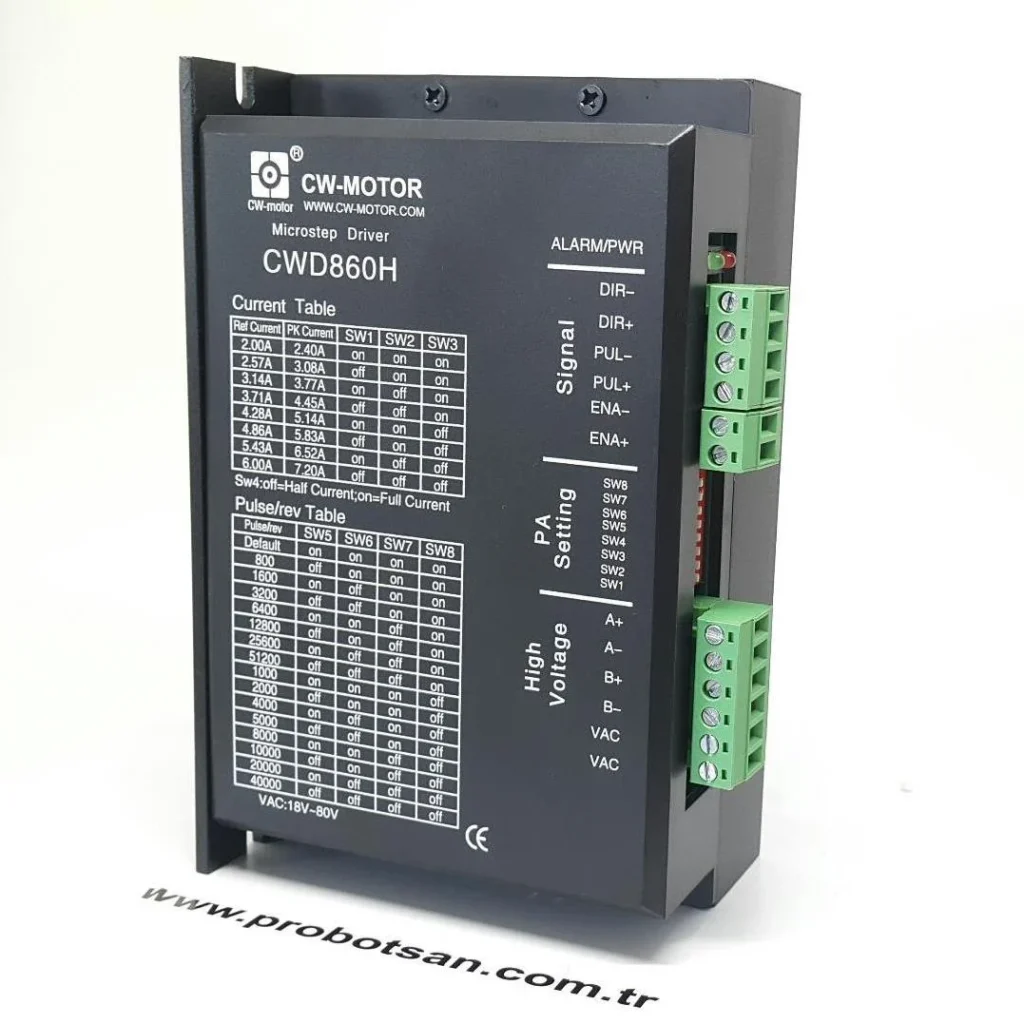
Field Considerations
- Correct Sizing and Cooling Solutions: When selecting a stepper motor driver, attention should be paid not only to current and voltage ratings but also to its thermal capacity. Considering the continuous current and duty cycle required by the application, it must be determined whether the driver has an integrated heatsink or requires an external one. If an external heatsink is needed, its surface area and thermal resistance must be sufficient to dissipate the maximum heat the driver will generate. If the ambient temperature is high or the driver operates within a closed enclosure, forced air cooling (fan) may become essential. The fan’s airflow direction should be correctly set to prevent dust accumulation and ensure optimal cooling.
- Motor Current Setting and Load Matching: Most stepper motor drivers feature adjustable current supplied to the motor windings. This current should not exceed the motor’s nominal current rating. Setting the current too high can cause the motor to overheat and lead to the driver generating unnecessary additional heat. Conversely, a low current setting can reduce motor torque, causing step losses. Ideally, the lowest current setting that provides the required motor torque should be chosen. It is critical that the load does not exceed the motor’s capacity and that system dynamics (acceleration, deceleration) remain within the driver and motor limits.
- Environmental Factors and Mounting Environment: The ambient temperature, humidity, and dust levels of the driver’s operating environment directly affect thermal performance. High ambient temperatures make it difficult for the driver to dissipate its own generated heat. Dust and dirt can accumulate on the heatsink surface, hindering heat transfer and reducing cooling efficiency. Therefore, it is important to mount drivers in a well-ventilated, clean, and appropriately temperature-controlled enclosure. Other heat sources within the enclosure (transformers, power supplies, etc.) can increase the driver’s thermal load, so placement must be done carefully.
- Cabling Quality and Connections: The cross-section of the power cables between the motor and the driver must be appropriate for the current they will carry. Thin or long cables can lead to additional voltage drop and heat generation due to cable resistance. Loose or corroded connections also increase resistance, causing localized overheating and performance losses. All connections must be tight and correctly made. Separating power and signal cables helps reduce electromagnetic interference (EMI), contributing to more stable driver operation.
- Monitoring Driver and Motor Dynamics: Especially in new installations or when performance issues arise, the operating temperatures of the driver and motor should be periodically checked with a thermal camera or surface thermometers. Thermal status information can be obtained via error indicators (LEDs) or diagnostic ports (RS-485, CAN, etc.) on the drivers. Symptoms such as abnormal noises, vibrations, or unexpected pauses can be early signs of overheating and should be investigated immediately.
- Supply Voltage and Ripple: A stable DC supply voltage to the driver is crucial. Excessive voltage or high ripple can increase the stress on the power components in the driver, leading to more heat generation. Ensure the power supply is capable of meeting the driver’s maximum current demand and has low ripple characteristics.

Common Problems and Solutions
Below are common problems encountered in the field due to excessive stepper motor driver overheating and proposed solutions:
- Motor Vibration, Step Loss, or Stalling:
Problem: When the driver overheats, the resistance of its internal power components (MOSFETs) increases, which can prevent sufficient current from being sent to the motor windings. Additionally, as the thermal shutdown threshold is approached, the driver may deliberately reduce performance. This situation causes the motor to lose torque, lose accuracy, vibrate, or completely lose steps. In the worst-case scenario, thermal protection may engage, causing the motor to suddenly stop.
Solution: First, check the driver’s operating environment. Is the ambient temperature high? Is the enclosure ventilation sufficient? Is the heatsink covered in dust? Clean the heatsink or replace it with a larger one. If a fan is used, ensure it is operating in the correct direction and at sufficient speed. Check the motor current setting; if it’s too high, reduce it. Consider lightening the motor’s mechanical load or using a more powerful motor/driver combination. Check the cable connections between the driver and motor; fix any loose or corroded connections.
- Receiving Error Code or LED Warning from Driver:
Problem: Modern stepper motor drivers have internal protection circuits that can detect conditions like over-temperature. When the internal temperature of the driver exceeds a certain threshold, the driver may generate an error code or provide a warning via an LED indicator (e.g., flashing red). This typically results in the driver shutting down its outputs to protect itself.
Solution: Refer to the driver’s user manual to understand the meaning of the error code or LED warning. This is usually a thermal protection warning. Perform the cooling and current setting checks mentioned in the previous point. If the error persists, permanent damage to the driver’s power components may have occurred, and the driver may need to be replaced. Avoid forcing the driver to operate without resolving the issue, as this could lead to more severe damage.
- Permanent Damage to Driver Components (Burning, Degradation):
Problem: Prolonged or repeated overheating can shorten the lifespan of electronic components on the driver (especially MOSFETs, capacitors, and diodes) and lead to permanent damage. MOSFETs can explode or short circuit, capacitors can swell or leak current. This can render the driver completely inoperable and even show physical signs such as smoke or a burning smell.
Solution: In this case, repairing the driver is usually not economical or practical. The driver will need to be replaced. Before installing a new driver, it is absolutely essential to identify and eliminate the root cause of the overheating (insufficient cooling, excessive current, incorrect load, environmental factors, etc.). Otherwise, the new driver may also fail in a short period. The system’s overall thermal management and power requirements should be re-evaluated.
- Decreased Overall System Performance and Reliability Issues:
Problem: Driver overheating adversely affects not only its own performance but also the overall performance and reliability of the automation system it is connected to. Repeated pauses, positioning errors, reduced production quality, and unplanned maintenance downtime significantly decrease system efficiency. In the long term, this can stress other connected components (motor, PLC, power supply) and shorten their lifespan.
Solution: Such problems often require a broader approach than just addressing the driver. A thermal analysis of the entire automation line should be performed, and power consumption and distribution should be optimized. Thermal checks of drivers and motors should be made routine during periodic maintenance. Preventive maintenance strategies should be developed, and redundant driver systems or drivers with higher thermal capacity should be considered for critical applications. Data acquisition and analysis systems (SCADA, MES) should be used to monitor driver operating parameters and temperature curves, and early warning systems should be established for abnormal conditions.
- Increased Noise and Mechanical Stress:
Problem: An overheated driver can cause the motor to operate more erratically. This erratic operation leads to increased noise and excessive vibration from the motor and its connected mechanical system. In the long run, this can cause premature wear and tear on mechanical components (bearings, couplings, gears), triggering additional malfunctions.
Solution: Optimize the driver’s current control settings and microstepping resolution. Some drivers have resonance suppression features; try enabling or adjusting these features to reduce noise and vibration. Address any backlash and alignment issues in the mechanical system. Resolving the driver’s thermal issue will generally also prevent these types of mechanical stress and noise problems.
Expert Advice
Excessive overheating of stepper motor drivers is a critical issue in industrial automation systems that should not be underestimated. This condition can lead to a wide range of negative consequences, from simple performance degradation to complete system shutdown and even costly equipment damage. As an expert, based on my field experience, I emphasize that the most effective approach to preventing such malfunctions is proactive thermal management and meticulous installation practices. Starting with driver selection, a product with sufficient thermal capacity should be chosen, considering the maximum current, voltage, and duty cycle required by the application. Environmental factors such as heatsink sizing, enclosure ventilation, ambient temperature control, and dust management should never be overlooked. Correct motor current settings, cabling quality, and tightness of connections are also crucial factors that directly affect the thermal load.
Furthermore, even after systems are commissioned, incorporating thermal checks into periodic maintenance routines is of great importance. Regular monitoring of driver surface temperatures with thermal cameras or non-contact thermometers provides valuable information for early detection of potential overheating issues. The driver’s diagnostic features should be used to examine operating parameters and error logs. It should be remembered that a driver constantly entering thermal protection or operating abnormally hot is a sign of an underlying problem, and reliable system operation cannot be expected until the root cause is identified and resolved. Finally, strict adherence to technical documentation provided by the manufacturer, especially datasheets and application notes, will guarantee the driver operates within specified limits and ensure long-lasting, trouble-free operation. In the long run, proper thermal management strategies not only save on repair costs but also increase production efficiency and enhance the overall reliability of automation systems.
FAQ
Why do stepper motor drivers overheat?
Stepper motor drivers overheat due to conduction losses (current flowing through internal resistance of MOSFETs) and switching losses (power dissipated during MOSFET transitions). Factors like high motor current settings, inadequate heatsinking, poor enclosure ventilation, high ambient temperatures, and loose electrical connections can exacerbate these issues.
What are the common malfunctions caused by an overheated stepper motor driver?
Overheating can lead to motor vibration, step loss, or complete stalling due to reduced torque. It can also trigger driver error codes or LED warnings, indicating thermal protection engagement. Prolonged overheating can cause permanent damage to electronic components like MOSFETs and capacitors, leading to complete driver failure. This ultimately degrades overall system performance and reliability.
How can I prevent my stepper motor driver from overheating?
To prevent overheating, ensure proper driver sizing with adequate thermal capacity for your application. Implement effective cooling solutions, including appropriately sized heatsinks and, if necessary, forced air cooling (fans). Maintain correct motor current settings, ensure high-quality cabling and tight connections, and provide a clean, well-ventilated operating environment. Regularly monitor driver and motor temperatures using thermal cameras or thermometers.
What troubleshooting steps should I take if my stepper motor driver is overheating?
If your driver is overheating, first check the ambient temperature and enclosure ventilation. Clean any dust from heatsinks and ensure fans are working correctly. Verify that the motor current setting is not excessively high. Inspect all cable connections for tightness and corrosion. If the problem persists and the driver shows signs of permanent damage (e.g., burning smell, physical degradation), it may need replacement.
Does overheating affect the lifespan of a stepper motor driver?
Yes, overheating significantly reduces the lifespan of stepper motor drivers and associated components. Semiconductor devices' lifespans can halve for every 10°C increase in operating temperature. This leads to premature component failure, increased maintenance costs, and potential production downtime.