No products in the cart.
Essential Materials for Building a Wood CNC Router Machine: A Comprehensive Guide

Contents
- Introduction and Technical Analysis of Essential Materials for Building a Wood CNC Router Machine
- Operating Principles and Technical Data for Essential Materials for Building a Wood CNC Router Machine
- Mechanical Structure and Motion Systems
- Electronics and Control Systems
- Software
- Accessories and Consumables
- Field Considerations for Building a Wood CNC Router Machine
- Common Problems and Solutions When Building a Wood CNC Router Machine
- Conclusion and Expert Advice for Building a Wood CNC Router Machine
- FAQ
Introduction and Technical Analysis of Essential Materials for Building a Wood CNC Router Machine
With the rapid rise of industrial automation and digital manufacturing, computer numerical control (CNC) machines have become indispensable tools across various sectors, from small workshops to large production facilities. Particularly in the woodworking industry, CNC routers offer revolutionary advantages over traditional methods, thanks to their precision, repeatability, and ability to process complex geometries. This guide provides a detailed technical analysis of the essential materials required to build a wood CNC router from the ground up, viewed from an industrial automation perspective. The objective is not merely to list materials, but to thoroughly examine the critical role of each component, selection criteria, and integration principles, providing readers with a comprehensive knowledge base. This empowers both hobbyists and small-scale manufacturing facilities to make informed decisions when constructing their own CNC router systems. Proper material selection is crucial for the machine’s rigidity, precision, processing quality, and longevity.
Operating Principles and Technical Data for Essential Materials for Building a Wood CNC Router Machine
The operating principle of a wood CNC router machine is based on converting 2D or 3D models created with computer-aided design (CAD) software into machine instructions, known as G-code, via computer-aided manufacturing (CAM) software. These instructions are then transmitted to the axis motors through a control board. These motors precisely move the processing head (spindle) along the X, Y, and Z axes, machining the specified model onto the wood material. Below is a list of essential materials for building a wood CNC router, complete with technical details and selection criteria for each component.

Mechanical Structure and Motion Systems
1. Frame and Body Material: This is critical for the machine’s rigidity and vibration damping capability. For wood CNC routers, high-density MDF (Medium Density Fiberboard) or quality plywood (Baltic Birch Plywood) are commonly preferred. MDF is easy to work with, economical, and offers a relatively flat surface, while plywood can provide higher strength and stability. In industrial applications, aluminum extrusion profiles or welded steel structures are more frequently used, but for wood routers, wood stands out as the primary structural material due to cost and workability advantages. A thickness of at least 18-25mm should be chosen.
2. Linear Guide Rails and Blocks: These are fundamental components that ensure smooth and precise movement of the spindle and gantry along the axes. SBR series supported rails (SBR12, SBR16, SBR20) and their corresponding SBR blocks are widely used in hobby and small-scale wood CNC projects due to their cost-effectiveness and sufficient precision. For higher precision and load-carrying capacity, HGR series (HGR15, HGR20) and their corresponding HGH/HGW blocks can be preferred. Rail lengths are determined by the machine’s working area.
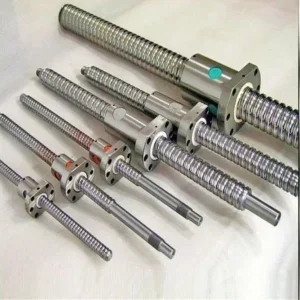
3. Ballscrews and Nuts: These components provide the axial drive for motion. SFU series ballscrews (e.g., SFU1605, SFU1610) offer high precision, low friction, and minimal backlash. In the “1605” designation, “16” indicates the shaft diameter (16mm), and “05” specifies the travel distance per revolution (5mm). These ballscrews are used with ball nut housings and end support blocks (BK/BF series). Alternatively, lower-cost trapezoidal screws can be used, but they may have more friction and backlash.
4. Couplings: These are flexible elements that connect stepper motors to ballscrews. They absorb small axial and angular misalignments between the motor and the screw, reducing vibration and improving transmission efficiency. Typically, aluminum alloy flexible couplings (e.g., 6.35mm to 10mm) are used.
5. Gantry Structure: This structure moves along the X-axis and supports the Z-axis and the spindle. It can be made of wood, aluminum, or steel. Having sufficient torsional rigidity is vital for machining precision.

Electronics and Control Systems
1. Stepper Motors: These are the main actuators that provide axial movements. They come in NEMA standards (NEMA 17, NEMA 23, NEMA 34). For wood CNC routers, NEMA 23 stepper motors (2.8A – 4.2A, 1.8 Nm – 3.0 Nm torque) generally offer sufficient torque and precision. Larger and heavier machines may require NEMA 34 motors. The motor’s step angle (typically 1.8 degrees) and torque values are important.
2. Stepper Motor Drivers: These convert signals from the control board into electrical pulses that the stepper motors understand. A separate driver is needed for each axis. Drivers like TB6600 or DRV8825 (for smaller motors) are commonly used. Drivers must be compatible with the motor’s current and voltage. Microstepping features provide smoother motion and higher resolution.
3. CNC Control Board: This is the central brain that interprets G-code commands and sends signals to the stepper motor drivers. An Arduino UNO-based GRBL Shield is a popular, cost-effective, and open-source solution for beginner and hobby projects. For more advanced systems, Mach3/Mach4 compatible boards (e.g., USB or Ethernet-based UC100, SmoothStepper) or DSP controllers can be preferred. These boards typically offer more axis support, higher pulse frequency, and advanced features.
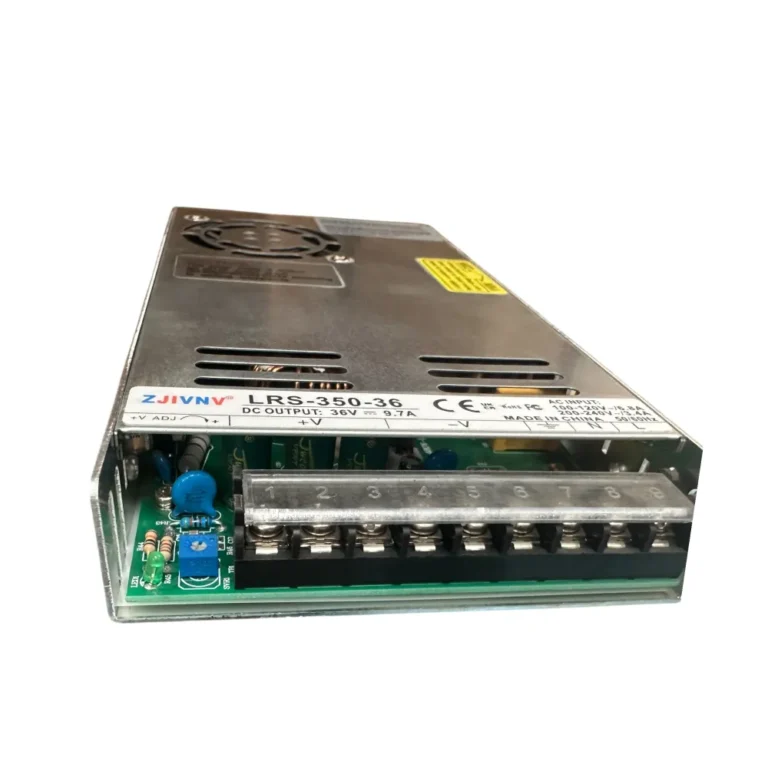
4. Power Supply Unit (PSU): Provides electrical energy to all electronic components (motors, control board, drivers). Typically, 24V or 36V DC switching power supplies are used. The current capacity (Amps) should be selected to meet the maximum current draw of all motors and other components (e.g., 350W-600W).
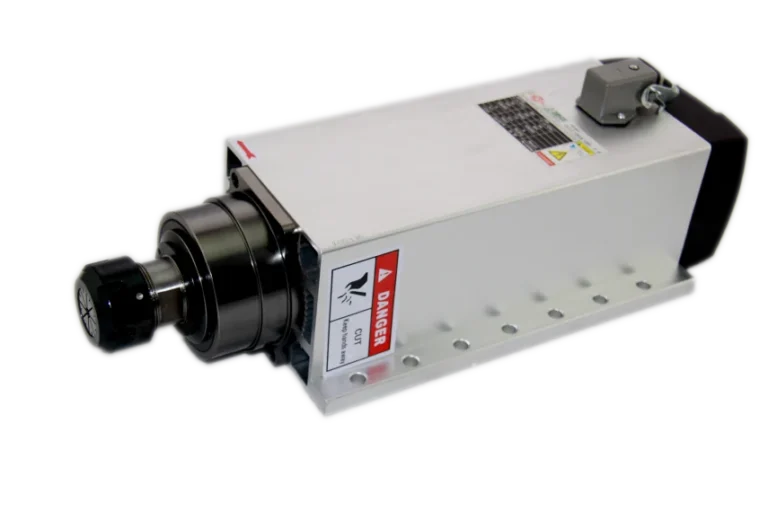
5. Spindle Motor and Driver: Houses the rotating cutting tool that cuts or carves the material. For woodworking, DC or AC spindle motors ranging from 300W to 2.2kW are commonly used. DC spindles are more cost-effective and simpler, but AC spindles (water or air-cooled) offer higher power, torque, and precision, and have a longer lifespan. An Inverter (VFD – Variable Frequency Drive) is essential for AC spindles. The VFD controls the spindle’s speed and torque.
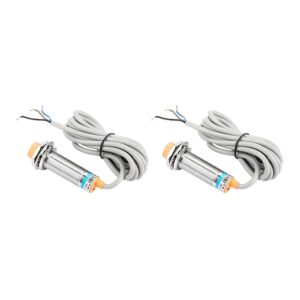
6. Limit Switches: These detect the start and end points of each axis, ensuring the machine stays within its safe operating area. Mechanical or inductive sensors can be preferred. They also function as “home switches” to return the machine to its home position.
7. Cables and Cable Carriers: Appropriate cross-section and quality cables are required for power and signal transmission between all electronic components. Motor cables (4-wire), limit switch cables, and power cables. Using shielded cables is important to prevent electromagnetic interference (EMI). Cable carriers (drag chains) are used on moving axes to keep cables organized, secure, and protected from wear.
8. Emergency Stop (E-Stop) Button: A vital component for the safety of the operator or the machine. It instantly stops the entire machine in case of a problem. A large, red, and easy-to-press button is usually preferred.

Software
1. CAD/CAM Software: Software used to create designs (CAD – Computer-Aided Design) and machining paths (CAM – Computer-Aided Manufacturing). Options include Fusion 360, VCarve Desktop, Estlcam, Easel. These programs convert designs into G-code.
2. CNC Control Software: Software that sends G-code to the control board and drives the machine’s movement. Options include Universal G-code Sender (UGS), GRBL Controller, Mach3/Mach4.
Accessories and Consumables
1. CNC End Mills: Various geometries and diameters of milling bits for woodworking. Different bits are used depending on the material type and machining operation (carving, cutting, surfacing).
2. Collets: Used to securely hold milling bits in the spindle motor. They must match the spindle model (e.g., ER11, ER16, ER20) and the bit diameter.
3. Fasteners: Bolts, nuts, washers, screws, and T-nuts (if aluminum profiles are used) are necessary for machine assembly. Typically, metric bolts like M5, M6 are used.
4. Z-Probe (Automatic Z-Axis Setter): Automatically detects the surface of the material to be machined, simplifying Z-axis zeroing and increasing precision.
5. Dust Extraction System: Wood dust poses a serious threat to both operator health and machine longevity. A vacuum hose and dust collector connection should be integrated.
6. Safety Equipment: Personal protective equipment (PPE) such as safety glasses, ear protection, dust mask, and gloves should always be used.
| Parameter | Value/Description |
|---|---|
| Frame Material | MDF (18-25mm) or Plywood (18-25mm) |
| Linear Rail Type | SBR12/16/20 or HGR15/20 |
| Ballscrew Type | SFU1605/1610 (Diameter 16mm, Pitch 5/10mm) |
| Stepper Motor | NEMA 23 (2.8A-4.2A, 1.8-3.0 Nm Torque) |
| CNC Control Board | Arduino GRBL Shield or Mach3/Mach4 Compatible Board |
| Spindle Motor Power | 300W – 2.2kW (DC or AC) |
| Power Supply | 24V-36V DC, 350W-600W |
| Working Area (Example) | 600x400x100mm (X, Y, Z) |
Field Considerations for Building a Wood CNC Router Machine
- Rigidity and Vibration Damping: The overall precision and machining quality of the machine are directly related to the rigidity and vibration damping capability of the frame structure. If a wooden structure is used, the strength of connection points, reinforcement of joints, and ensuring adequate material thickness are critically important. The gantry’s resistance to torsion must be carefully designed to minimize deflections that can occur, especially during Y-axis movement. Vibrations degrade surface quality and shorten tool life.
- Cabling and EMI Protection: In industrial automation systems, electromagnetic interference (EMI) can disrupt signal integrity, leading to erroneous operation or machine malfunctions. Signal lines, such as stepper motor cables and limit switch cables, should be kept separate from power lines, and shielded cables should be used whenever possible. Proper grounding of the shielding is essential to minimize EMI. Additionally, cable carriers (drag chains) should be used to keep cables organized, secure, and protected from wear in moving axes.
- Safety Protocols and Emergency Stop: Safety is the highest priority in any CNC system. An integrated emergency stop (E-Stop) button must be located in an easily accessible position for the operator at all times. Limit switches prevent the machine from exceeding its operational boundaries, thereby preventing damage to both the machine and its surroundings. Furthermore, the use of personal protective equipment (PPE) such as dust extraction systems, eye protection, ear protection, and respiratory masks must be mandatory. The machine’s electrical connections must be professionally made and comply with grounding standards.
Common Problems and Solutions When Building a Wood CNC Router Machine
Various problems can be encountered during the construction and use of a wood CNC router. Here are some common scenarios and proposed solutions:
1. Problem: Step Loss or Vibration in Axes.
Scenario: The machine moves less than the expected distance, experiences shifts during machining, or motors vibrate during operation.
Solution: Step loss typically results from insufficient motor torque, high speed/acceleration settings, inadequate motor current, or mechanical binding. First, check the current settings on the stepper motor drivers and ensure they match the motor’s nominal current. Reduce the maximum speed and acceleration values in the G-code control software (UGS, GRBL Controller). Mechanically, ensure that the ballscrews and linear rails move freely, and there is no binding in bearings or nut housings. If necessary, consider upgrading to higher torque NEMA 23 or NEMA 34 motors. Ensure the power supply provides sufficient current.
2. Problem: Poor Surface Quality and Loss of Precision.
Scenario: The machined surface shows waves, roughness, dimensional errors, or rounded corners.
Solution: This condition usually stems from a lack of machine rigidity, vibrations, ballscrew backlash, or incorrect tool selection/cutting parameters. Check and tighten any loose connections in the frame and gantry structure. If necessary, increase rigidity with additional reinforcements. To minimize backlash in ballscrews, use anti-backlash nuts or enable backlash compensation in software settings. Ensure the spindle motor is well-balanced and does not vibrate. Check the sharpness of the milling bit used and select a bit appropriate for the wood type. Optimize the feed rate and RPM.
3. Problem: Electronic Failures or Connection Issues.
Scenario: Motors are not operating, limit switches are not detected, the control board is not communicating with the computer, or random errors occur.
Solution: First, check all cable connections; locate any loose, incorrectly connected, or short-circuited cables. To prevent electromagnetic interference (EMI), ensure motor and signal cables are routed separately and that shielded cables are properly grounded. Verify that the power supply provides the correct voltage and sufficient current using a multimeter. Check that stepper motor drivers have correct microstepping and current settings. Ensure the control board (e.g., Arduino GRBL Shield) firmware is correctly loaded and the computer has the correct drivers. Test that limit switches are correctly wired and signal when triggered.
Conclusion and Expert Advice for Building a Wood CNC Router Machine
Building a wood CNC router machine is an incredibly educational and rewarding project for gaining practical experience with industrial automation principles. The detailed materials list and technical information provided in this guide form the foundation for constructing a robust, precise, and safe machine. As an automation expert, I emphasize that the key to success in such a project lies not only in selecting the right components but also in deeply understanding the role of each component within the system and its interaction with others. The balance between mechanical rigidity, electronic stability, and software integration directly impacts machining quality and machine longevity. Especially when working with a natural material like wood, the machine’s vibration damping capability and tool path optimization are critically important. When starting the project, creating a detailed design plan, carefully reviewing the technical specifications of each component, and making selections that fit your budget without compromising quality will save you time and cost in the long run. It is crucial to remember that a CNC router is not just a collection of hardware but a precise control system. Therefore, software settings, calibration processes, and regular maintenance are indispensable for ensuring your machine operates at optimum performance. Never overlook safety; emergency stop mechanisms, limit switches, and personal protective equipment should always be your priority. This detailed field guide will help you overcome challenges you may encounter while building your own wood CNC router and successfully step into the world of digital manufacturing. Request a quote on WhatsApp today for Mermak CNC solutions.
FAQ
What are the essential mechanical and electronic components needed to build a wood CNC router?
The primary components include a rigid frame (MDF or plywood), linear guide rails (SBR or HGR series), ballscrews (SFU series), stepper motors (NEMA 23 or 34), stepper motor drivers, a CNC control board (GRBL Shield or Mach3/Mach4 compatible), a power supply, a spindle motor with a VFD, and various accessories like end mills and collets.
What critical factors should be considered during the construction and operation of a DIY wood CNC router to ensure precision and safety?
Key considerations include ensuring high mechanical rigidity of the frame and gantry to minimize vibrations, using shielded cables and proper grounding to prevent electromagnetic interference (EMI), and implementing robust safety protocols such as an emergency stop button and limit switches. Regular maintenance and calibration are also vital for sustained precision.
What are the most frequent problems encountered when building or operating a wood CNC router, and how can they be addressed?
Common issues include step loss (motors skipping steps), poor surface quality, and electronic malfunctions. Step loss can be resolved by checking motor current settings, reducing speed/acceleration, or upgrading motors. Poor surface quality often points to lack of rigidity, backlash, or incorrect cutting parameters. Electronic issues require checking cable connections, EMI shielding, power supply, and control board firmware.
Which materials are best suited for the frame and linear motion system of a wood CNC router?
For woodworking, common choices include high-density MDF or quality plywood (e.g., Baltic Birch Plywood) for the frame due to their workability and cost-effectiveness. For linear motion, SBR series supported rails and blocks are popular for hobbyists, while HGR series offers higher precision for more demanding applications.
What software and control systems are recommended for a wood CNC router?
For control, an Arduino UNO-based GRBL Shield is a popular open-source option for beginners. More advanced users might opt for Mach3/Mach4 compatible boards or DSP controllers for greater functionality. Software choices include CAD/CAM programs like Fusion 360 or VCarve Desktop for design and toolpath generation, and CNC control software like Universal G-code Sender (UGS) or Mach3/Mach4 for machine operation.