


































































G-Code Looks Correct, But Why Is the CNC Machine Cutting Incorrectly?

📑 Table of contents (Click to open)
- Understanding G-Code and CNC Machining Precision
- Operational Principles and Technical Data in CNC Machining
- Mechanical Precision and Backlash
- Tool Compensation Errors
- Workpiece Zeroing Errors
- Machine Calibration and Kinematic Structure
- Post-Processor Incompatibilities
- Environmental Factors and Workpiece Characteristics
- Conclusion: Achieving Precision with Your Industrial CNC Router
Discover why your CNC machine might be cutting inaccurately even when the G-Code appears correct. This article explores common issues like machine calibration, backlash, tool setting errors, and post-processor mismatches. Learn how to diagnose and resolve these problems for precise industrial CNC routing.
Practical notes for CNC router, automation and industrial motion systems.
Understanding G-Code and CNC Machining Precision
In the realm of industrial automation and CNC (Computer Numerical Control) machining, the question, “G-Code looks correct, but why is the machine cutting incorrectly?” is a common and often costly concern for operators and engineers. This situation typically arises not from an error within the G-Code itself, but from a variety of peripheral, mechanical, or software factors that occur during the interpretation and physical execution of the G-Code by the machine. G-Code is the standard instruction language that tells the machine what movements to make, at what speed, when to change tools, and so on. However, translating these instructions into physical reality requires the precise management of numerous variables. Even if the CNC router machine reads the G-Code perfectly, mechanical inaccuracies, incorrect zeroing, faulty tool parameters, or incompatibilities between the controller and the G-Code can lead to the final workpiece deviating from expectations. This guide offers a comprehensive perspective to understand the root causes of such issues and develop systematic solutions.
Operational Principles and Technical Data in CNC Machining
CNC machining processes rely on the seamless coordination of complex, integrated systems. When cutting errors occur despite correct-looking G-Code, it often stems from deviations in one or more of these systems. This section delves into the technical details and operational principles behind these deviations:
Mechanical Precision and Backlash
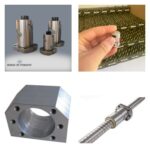
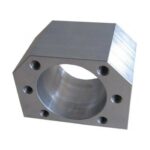
Every mechanical system has inherent play or backlash between moving parts. In CNC machines, this backlash in ball screws, nuts, bearings, and gears can lead to precision losses when axes change direction. For instance, when an axis needs to move from +X to -X, the mechanical backlash causes the actual movement to lag or deviate slightly from the commanded motion. This is particularly noticeable in contours requiring circular interpolation (G02/G03), potentially resulting in elliptical or distorted shapes instead of perfect circles. Modern CNC controllers can compensate for this backlash in software (backlash compensation), but accurate adjustment and periodic checks are crucial. For high-precision applications, measurements of actual axis movements using devices like laser interferometers help determine backlash values precisely.
Tool Compensation Errors
G-Code typically calculates the toolpath based on the center of the tool. However, the tool’s diameter and length must be considered to achieve the actual workpiece dimensions. This is managed through tool compensation:
- Tool Length Compensation (G43/G44): Offsets the tool’s length to ensure it reaches the correct depth on the Z-axis. An incorrect tool length value will result in the workpiece being machined too deep or not deep enough.
- Tool Radius Compensation (G41/G42): Accounts for the tool’s diameter by shifting the toolpath relative to the workpiece contour, either to the right (G42) or left (G41) of the programmed path. If the CAM software has already compensated for the tool diameter, and G-Code commands (G41/G42) are used again, or if the tool diameter value is entered incorrectly, the part will be oversized or undersized. For example, if a 10mm diameter tool is defined as 12mm, an extra 1mm compensation is applied. G40 cancels compensation.
Accurate input of these compensation values into the machine controller, proper calibration of tool measurement devices, and the operator’s understanding of these parameters directly impact machining accuracy.

Workpiece Zeroing Errors
Before each machining operation, the machine must know the reference point (zero point) on the workpiece. This is typically done using Work Coordinate Systems (WCS), such as G54, G55, G56. Incorrect zeroing, regardless of how accurate the G-Code is, will cause the tool to start at the wrong position relative to the workpiece, leading to erroneous cuts. These errors can include:
- Manual Zeroing Errors: Reading mistakes by the operator when using an edge finder or probe.
- Probe Calibration Errors: The automatic probing system itself being incorrectly calibrated.
- Workpiece Fixturing Errors: The workpiece not being properly aligned or securely clamped in the vise or fixture, causing it to shift during processing.

Machine Calibration and Kinematic Structure
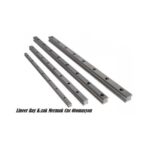
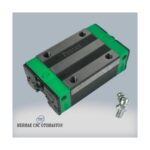
Over time, or due to environmental factors, the axes of CNC machines can lose calibration. Step errors in ball screws, wear in linear guide rails, or deviations in motor encoders can create discrepancies between commanded and actual movements. For 5-axis machines, the kinematic model and calibration of rotary axes (A, B, C axes) are significantly more complex. Incorrectly calibrated rotary axes can lead to major geometric errors, especially when machining complex 3D surfaces. Periodic calibration checks and adjustments are critical for maintaining machine precision.

Post-Processor Incompatibilities
CAD/CAM software converts design data into toolpaths and then uses a post-processor to translate these toolpaths into G-Code understandable by a specific CNC machine. Each CNC controller (e.g., Fanuc, Siemens, Heidenhain, Haas, Fagor) may interpret G-Code slightly differently or have its own unique command set. If the post-processor used is not perfectly compatible with the machine’s controller, the resulting G-Code, even if syntactically correct, might be misinterpreted by the machine. For example, if a machine supports G05.1 Q1 (high-speed machining) but the post-processor does not generate this command or generates an incorrect one, the machine may operate inefficiently or erroneously. The post-processor must include correct axis assignments, speed limits, and specific cycle commands. Always verify with a test part after setting up a new post-processor or machine.
Environmental Factors and Workpiece Characteristics
Temperature fluctuations, machine rigidity, vibrations, and cutting forces also affect machining accuracy. Thermal expansion of the tool and workpiece during long operations can lead to dimensional errors. Insufficient clamping force can cause the workpiece to move during processing. Tool wear, over time, can also alter cutting geometry and dimensions.
| Parameter | Value/Description |
|---|---|
| G-Code Verification | Ensure G-Code is simulated and checked for errors before running on the machine. |
| Machine Calibration | Regularly check and calibrate axes, spindle motor, and servo drives. |
| Tooling Setup | Verify tool lengths, diameters, and wear. Use a reliable tool presetter. |
| Workpiece Fixturing | Ensure secure and accurate clamping of the workpiece on the vacuum table or fixture. |
| Backlash Compensation | Enable and correctly set backlash compensation in the CNC controller. |
| Post-Processor Check | Confirm the post-processor is configured for the specific CNC machine model and controller. |
Conclusion: Achieving Precision with Your Industrial CNC Router
When your industrial CNC router machine produces incorrect parts despite seemingly perfect G-Code, it’s essential to adopt a systematic troubleshooting approach. The issue rarely lies solely with the G-Code itself. Instead, focus on the interplay between the code and the physical machine. Thoroughly inspect and calibrate mechanical components like linear guide rails and ball screws, verify tool compensation settings, ensure accurate workpiece zeroing, and confirm post-processor compatibility. By meticulously addressing these potential sources of error, you can restore the precision of your CNC router machine and ensure consistent, high-quality production. For expert assistance in optimizing your CNC operations or to explore advanced CNC router machines, contact us.
Ready to enhance your manufacturing precision? Request a quote on WhatsApp today!
Related product categories: Genel · Mekanik · Step Motor