






































































What Is the Difference Between CNC and a CNC Router?

📑 Table of contents (Click to open)
Practical notes for CNC router, automation and industrial motion systems.
While CNC is a general term referring to a computer-numerical-control system, a CNC router is a specific type of machine that uses this control system and is designed specifically for cutting, carving, and shaping materials such as wood, plastic, and composites. In other words, CNC is the name of a technology, while a CNC Router is a machine that uses this technology.
What Is the Difference Between CNC and a CNC Router?
In the industrial automation and manufacturing sectors, the term Computer Numerical Control (CNC) is a broad umbrella term that refers to the method of automatically controlling machine movements through computer programs. This system enables machine tools, robots, and other automation equipment to perform precise and repeatable operations. CNC technology is used in many different types of machines, ranging from lathes to milling machines, and from laser cutting machines to wire EDM machines. Essentially, a design created in CAD (Computer-Aided Design) software is converted into a series of commands called G-code via CAM (Computer-Aided Manufacturing) software into a series of commands known as G-code, which are then interpreted by the machine’s control unit to move the axis motors.
On the other hand, a CNC router, as the name implies, is a specific type of machine that uses CNC technology. The term “router” refers to a machine equipped with a high-speed rotating cutting tool (spindle and cutting bit) used for cutting, carving, drilling, and shaping soft materials such as wood, plastic, acrylic, composite materials, and certain soft metals. CNC routers are widely used in fields such as furniture manufacturing, sign making, prototyping, decoration, and artistic applications. They typically have larger work areas and, with their relatively less rigid structures, are designed for high-speed but lighter-duty material processing. A CNC router is, in fact, a type of CNC machine; however, not every CNC machine is a CNC router. The key difference is that CNC is a control system standard, whereas a CNC router is a specialized machine that implements this standard and is focused on a specific type of machining.
Operating Principle and Technical Specifications
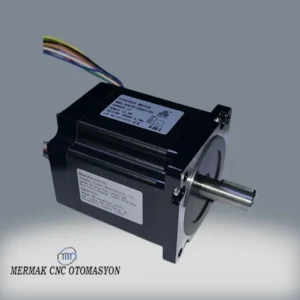
The basic operating principle of CNC technology begins with the conversion of a design into digital data. This process is typically carried out through 2D or 3D modeling in a CAD program. The model is then transferred to CAM software, where all parameters—such as the paths the machine will follow, the speeds at which it will operate, and the depths at which it will cut the material—are defined. These parameters are converted into G-code, a language the machine can understand. G-code specifies the coordinates (X, Y, Z axes), feed rates, spindle speeds, and other auxiliary functions (tool changing, coolant on/off) in commands measured in millimeters or inches. The machine control unit (MCU) reads this G-code and sends signals to servo or stepper motors to move the machine’s axes and tools with precision.
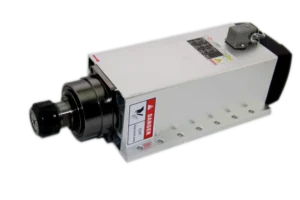
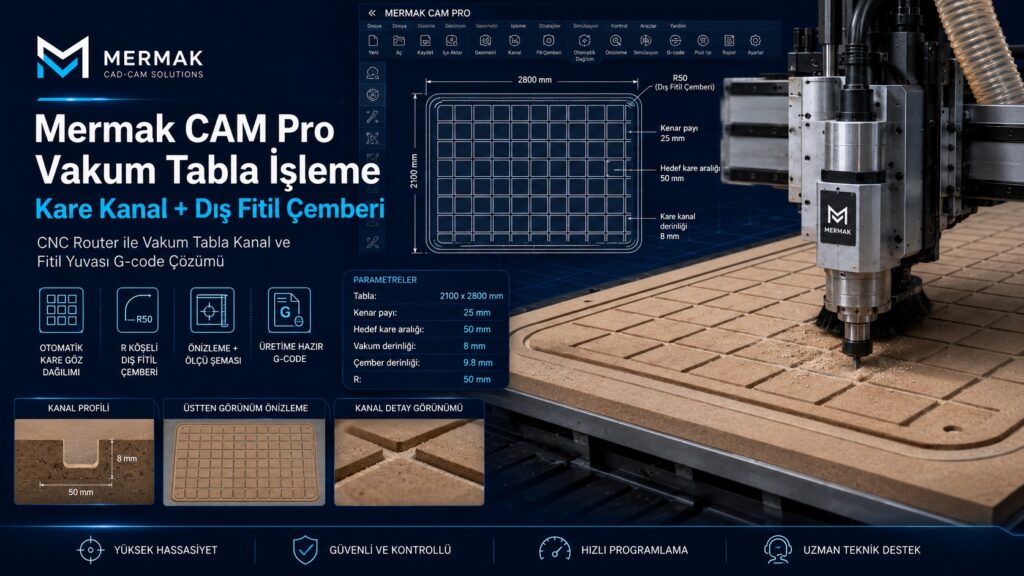
CNC routers also operate on this basic principle, but their machining focuses and structural characteristics differ. The most distinctive feature of a CNC router is its high-speed spindle and the cutting bits attached to it. Spindle speeds typically range from 10,000 RPM to 60,000 RPM, which allows for clean and fast cuts, especially in materials such as wood and plastic. Since routers generally process lighter materials, they may have a less rigid structure compared to traditional CNC milling machines. This results in lower vibration resistance and, consequently, reduced capability for machining hard metals. However, this structural flexibility can offer advantages in terms of larger working areas and faster axis movements. Integrated or external dust collection systems are vital for managing the heavy dust and chips generated during machining. Additionally, material clamping methods vary; vacuum tables are a frequently preferred method for securing large, flat sheet materials on CNC routers.
From an industrial automation perspective, CNC technology is generally used to optimize production processes, reduce human error, and standardize product quality. CNC routers, however, fill a specific niche within this broad spectrum. Precision and repeatability are critical in both cases, but the type of material being processed and the geometry of the desired final product are the key factors that determine which CNC machine to select. For example, while a high-rigidity 5-axis CNC machining center is required to produce metal parts with a precision of one-thousandth of a millimeter in the aerospace or medical sectors, a CNC router provides a sufficient and more cost-effective solution for cutting a piece of furniture or engraving a logo on a sign.
| Parameter | Value/Description |
|---|---|
| Definition | CNC: Computer-numerical-control technology. CNC Router: A cutting/engraving machine that uses CNC technology. |
| Scope | CNC: A broad control method that encompasses many types of machines. CNC Router: A specific type of machine. |
| Primary Processing Purpose | CNC: Precision manufacturing, turning, milling, laser, plasma, etc. CNC Router: Cutting, engraving, shaping, drilling. |
| Processable Materials | CNC: Metals, plastics, composites, ceramics, wood (wide range). CNC Router: Wood, MDF, acrylic, PVC, composites, soft aluminum. |
| Spindle Type/Power | CNC: Wide range (from low speed and high torque to high speed). CNC Router: Typically high-speed (10,000–60,000 RPM) but low-torque spindles. |
| Rigidity and Construction | CNC: Very high rigidity, heavy and sturdy structures (for metal machining). CNC Router: Lighter and less rigid structures (for lighter materials). |
| Accuracy (Typical) | CNC: ±0.001 mm – ±0.02 mm (varies by machine). CNC Router: ±0.05 mm – ±0.1 mm (generally lower, but sufficient). |
Considerations on Site
- Material Selection and Clamping Techniques: The type, thickness, and dimensions of the material to be machined directly affect both the CNC Router’s capacity and the clamping method to be used. While vacuum tables increase efficiency for wood or plastic sheets, mechanical clamps or fixtures may be required for smaller parts. Proper and secure clamping of the material is a critical factor that directly affects machining accuracy and tool life. Improper clamping can lead to vibration, tool breakage, and poor surface quality.
- Tool Selection and Management: Different cutting inserts are available for each material type and each operation (cutting, milling, drilling). Carbide inserts are used for woodworking, while specially designed single-edged or double-edged inserts are used for aluminum. The tool’s diameter, number of cutting edges, coating, and geometry are decisive factors in machining quality, speed, and tool life. Regularly inspecting tools and replacing worn or dull ones helps maintain machining quality and prevents potential damage to the machine. Using the correct spindle speed and feed rates is essential for extending tool life.
- Optimization of Machining Parameters: Parameters such as spindle speed (RPM), feed rate, depth of cut, and toolpath strategy are critical in terms of machining quality, cycle time, and tool life. The correct adjustment of these parameters varies depending on the material, the tool, and the desired surface quality. Trial and error, manufacturer recommendations, and the simulation tools provided by CAM software help in determining the most suitable parameters. Excessively high feed rates or insufficient spindle speed can lead to tool breakage, burn marks, or poor surface quality, while very slow feed rates extend production time.
- Dust and Chip Management: CNC routers, in particular, generate significant amounts of dust and chips when machining materials such as wood, MDF, and plastic. These particles not only contaminate the work environment but can also damage the machine’s moving parts and electronic components, posing a health risk to the operator. An effective dust collection system keeps the work environment clean and extends the machine’s lifespan. Removing chips from around the tool during machining improves cutting performance and prevents the tool from overheating.
- Periodic Maintenance and Calibration: Like all CNC machines, CNC routers require regular maintenance. Routine checks—such as lubricating the axes, inspecting belts and bearings, ensuring electrical connections are secure, checking the spindle’s condition, and cleaning the dust collection system—ensure the machine operates reliably and with precision over the long term. Mechanical play or axis misalignment that may develop over time must be corrected through periodic calibration. Calibration is vital for ensuring the machine continues to operate within specified tolerances.
- Operator Training and Safety: CNC routers are powerful and potentially hazardous machines. Operators must fully understand the machine’s operating principles, G-code, CAM software, and emergency procedures. Using safety equipment (goggles, ear protection, gloves), maintaining a safe working distance from the machine, and ensuring safety interlocks are active are fundamental steps in preventing workplace accidents.
Common Problems and Solutions
CNC router users and operators may encounter various issues during the production process. Most of these issues can be easily resolved with proper diagnosis and intervention. Here are some common issues and suggested solutions:
- Surface Quality Issues (Rough Surface, Burn Marks):
- Problem: Rough spots, ripples, or burn marks on the machined surface.
- Solution:
- Tool Inspection: A dull or incorrect cutting tool can cause this problem. Inspect the tool; replace it if necessary, or select the correct type of tool.
- Machining Parameters: Burn marks may occur if the spindle speed is too low or the feed rate is too high. Conversely, a feed rate that is too slow can increase friction and lead to burn marks. Adjust the parameters to suit the material and tool.
- Vibration: Vibration in the machine or the workpiece reduces surface quality. Check the stability of the machine base and the tightness of the workpiece clamping.
- Chip Removal: Insufficient chip removal can cause the tool to clog and result in burn marks. Check the dust collection system.
- Axis Deviations or Loss of Dimensional Accuracy:
- Problem: The dimensions of the machined part differ from the design, or the axes deviate from their expected positions.
- Solution:
- Mechanical Backlash: Play in the axis screws or nuts causes a loss of accuracy. Check and adjust the mechanical components.
- Motor Settings: Incorrectly set or lost steps in stepper or servo motors. Check the motor driver settings and calibration.
- Belts and Pulleys: Loose or worn belts can cause slippage. Check belt tension and condition.
- Loose Connections: Couplings between the axis motors and moving parts have come loose. Tighten the fasteners.
- Loss of Reference Point: The machine has lost its starting reference point. Check the limit switches and home sensors.
- Tool Breakage:
- Problem: The cutting tip breaks during operation.
- Solution:
- Incorrect Parameters: Excessively high feed rate, excessively deep cut, or excessively low spindle speed can place excessive load on the tool. Optimize the parameters.
- Tool Type: Using a tool that is not suitable for the material being machined. Select the correct tool for the material and the machining operation.
- Material Jamming: Movement of the material or jamming of the tool. Check the material clamping.
- Tool Wear: A dull or cracked tool is more prone to breakage. Inspect and replace the tool regularly.
- Vibration: Excessive vibration shortens tool life and can cause breakage.
- Control System or Software Errors:
- Problem: The machine fails to execute G-code, moves incorrectly, or the software crashes.
- Solution:
- G-Code Check: The G-code generated by the CAM software may contain syntax or logic errors. Check the code in a simulator or manually.
- Connection Issues: Check the USB or Ethernet connections between the computer and the machine. Inspect the cables and ports.
- Software Update: Make sure the control software and drivers are up to date.
- Electrical Noise: Electrical noise can interfere with control signals. Check the grounding and cable routing.
- Spindle Issues (Noise, Overheating, Performance Drop):
- Problem: The spindle is making abnormal noises, overheating, or losing power.
- Solution:
- Bearing Wear: Wear on the spindle bearings causes noise and vibration. Inspect the bearings and replace them if necessary.
- Cooling System: A clogged or malfunctioning water or air cooling system for the spindle can lead to overheating. Check and clean the cooling system.
- Tool Balance: Unbalanced tools or tool holders can cause vibration and damage the spindle. Check the balance of the tools.
- VFD Settings: Ensure that the spindle speed control unit (VFD) settings are correct.
Expert Advice
CNC technology, one of the cornerstones of industrial automation, is a control system that has revolutionized the manufacturing sector. As discussed in this article, while CNC is a general control method, a CNC Router is a specialized machine type that utilizes this general method and focuses on a specific type of machining. While CNC represents a philosophy that delivers precision, repeatability, and automation, the CNC Router embodies this philosophy specifically in the cutting, engraving, and shaping of materials such as wood, plastic, composites, and certain soft metals. For manufacturing engineers and production managers, understanding this fundamental distinction is critical to making the right machine investment and optimizing production processes.
When selecting the machine best suited to a facility’s needs, factors such as the type of material to be processed, the desired level of precision, production volume, and budget must be carefully evaluated. While an advanced CNC machining center or lathe is essential for metalworking applications requiring high rigidity and precision down to one-thousandth of a millimeter, for a business producing furniture, signage, prototypes, or decorative products, a CNC router will offer a much more cost-effective and efficient solution. It should not be forgotten that neither type of machine can fully realize its potential without proper programming, appropriate tool selection, and regular maintenance. Our field experience shows that even a machine equipped with the latest technology can remain inefficient if the operator’s knowledge and skills are lacking or if periodic maintenance is neglected.
In the future, with the integration of Industry 4.0 and the Internet of Things (IoT), CNC machines and CNC routers will become even smarter. Features such as real-time data analysis, remote monitoring, and predictive maintenance will further increase production efficiency and minimize downtime. In this transformation, it is critically important for businesses to not only invest in machinery but also in qualified personnel and ongoing training. With the right machine selection, continuous training, and proactive maintenance strategies, both CNC technologies will continue to provide businesses with a competitive advantage.
Related product categories: Kilitler · CNC Kontrol Paneli